When recording a new P/N (or when modifying an existing P/N), the fields required to be entered before the changes can be validated are listed in the memo box located at the bottom right corner (figure).
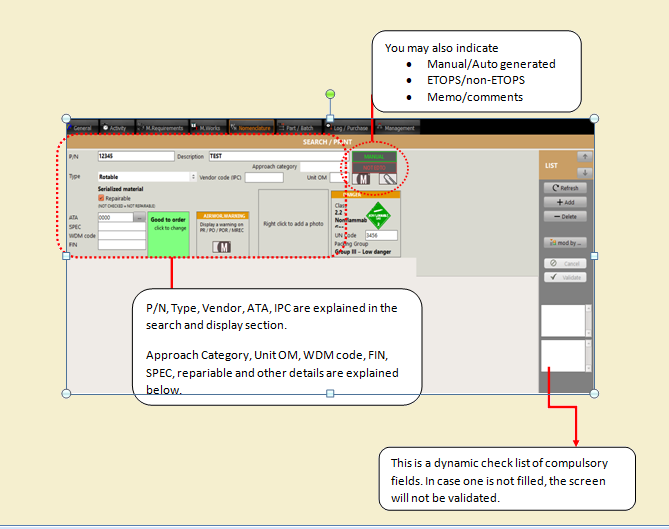
•Approach category : it is the approach precision (category) of this component (only applicable to component involved with auto flight capability)
•Unit : Unit of measure (EA for "Each" by default)
•WDM code: Wiring diagram reference
•Repairable : Check this box if the component can be repaired (not applicable to consumables & ingredients).
Click on the  button to send your modification to the server (record changes)
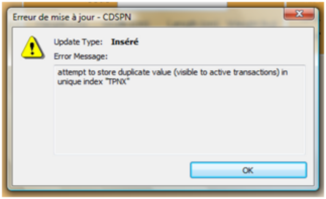
Note: you cannot record a new P/N when this P/N already exists in this database. If you attempt to do so, an error message will be raised :