•WP display can be filtered by WO class (ROUTINE, Non routine, deferred, etc...)
•The display can be filtered by WO type (AD, SB, Task card, etc...)
•The display can be filtered by WO status (Open, Closed)
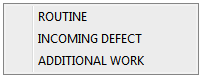
•You can change the WOs Class (routine, incoming defect, additional work)
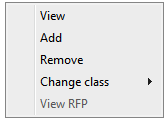
1.To change a WO class right click on the WO 2.from the following contextual menu 3.choose change class 4.choose the requested class
|
•You can view and edit a Resources report for the WP
1.To view WP resources press the resources button 2.In the following window you have a list of all the P/N required for the WP. 3.you can print the resources form by pressing
|
 on the lower right side of the WP screen.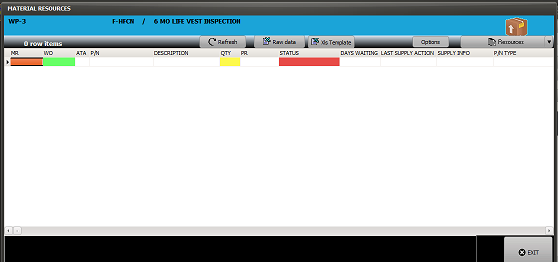

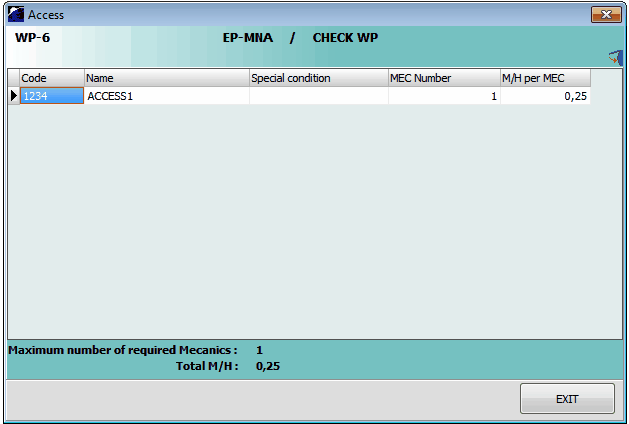
•You can view the required accesses & associated M/H
1.to view the required accesses press the access button 2.you will see a window with the accesses & the associated total M/H
|

•You can view the estimated M/H for the WP
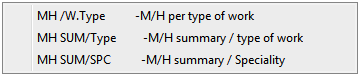
1.to view the M/H press M/H button 2.you will view a list with all the M/H associated to the WP 3.This list can be filtered using the filters 4.you can edit a M/H report or export to excel by pressing 5.By pressing the arrow button you can choose to edit various reports 6. |