Before using the Documents & Manuals module, you must set user rights.
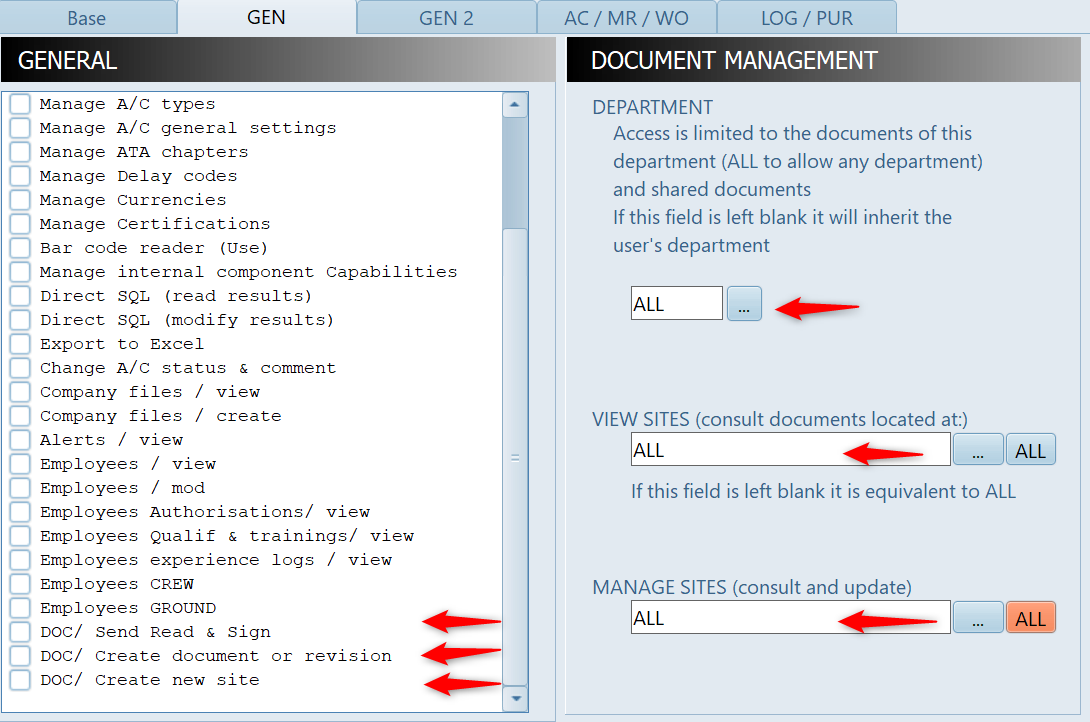
In the above example, this user can view and manage all documents of any site and any department, but without being able to record a new document.
A user having only the right to consult the document of his/her department (or any document shared with all departments), located on any site, will have only the VIEW SITES field set to ALL and the other 5 fields left blank.
Important: The DEPARTMENT field of each user (in the header section) must be specified. If a user has no department identified in the header section and no department identified in this DOCUMENTATION MANAGEMENT section, the he/she will not have access to documentation.
To manage your manuals, enter the module and press the "Manage my Documents & Sites" button, then select the desired function:
Documentation Sites:
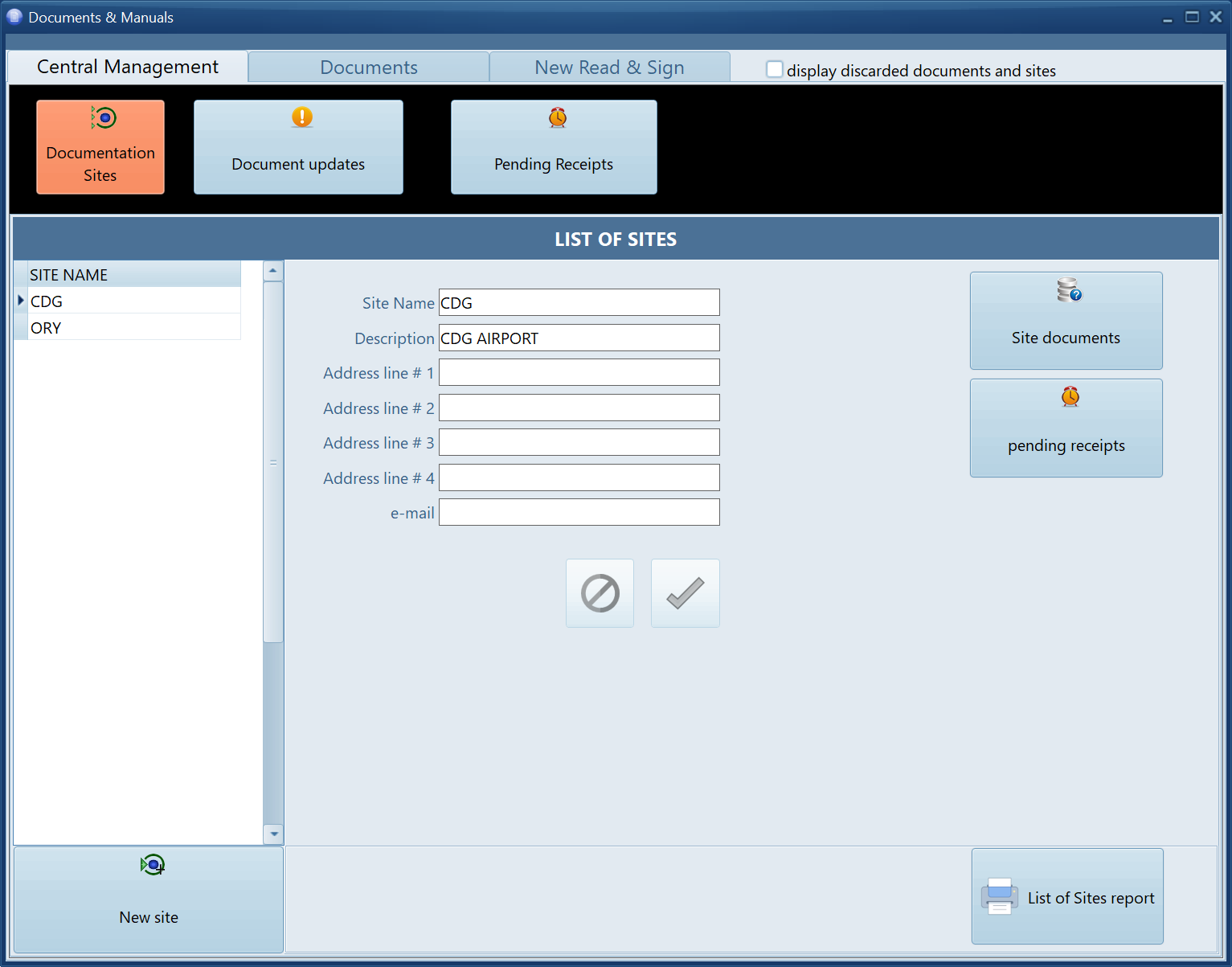
Use this view to consult of add you documentation sites
Note that you can use the buttons on the right side to browse the documents available on this site, view the pending receipts for this site and report this list of sites
Document updates:
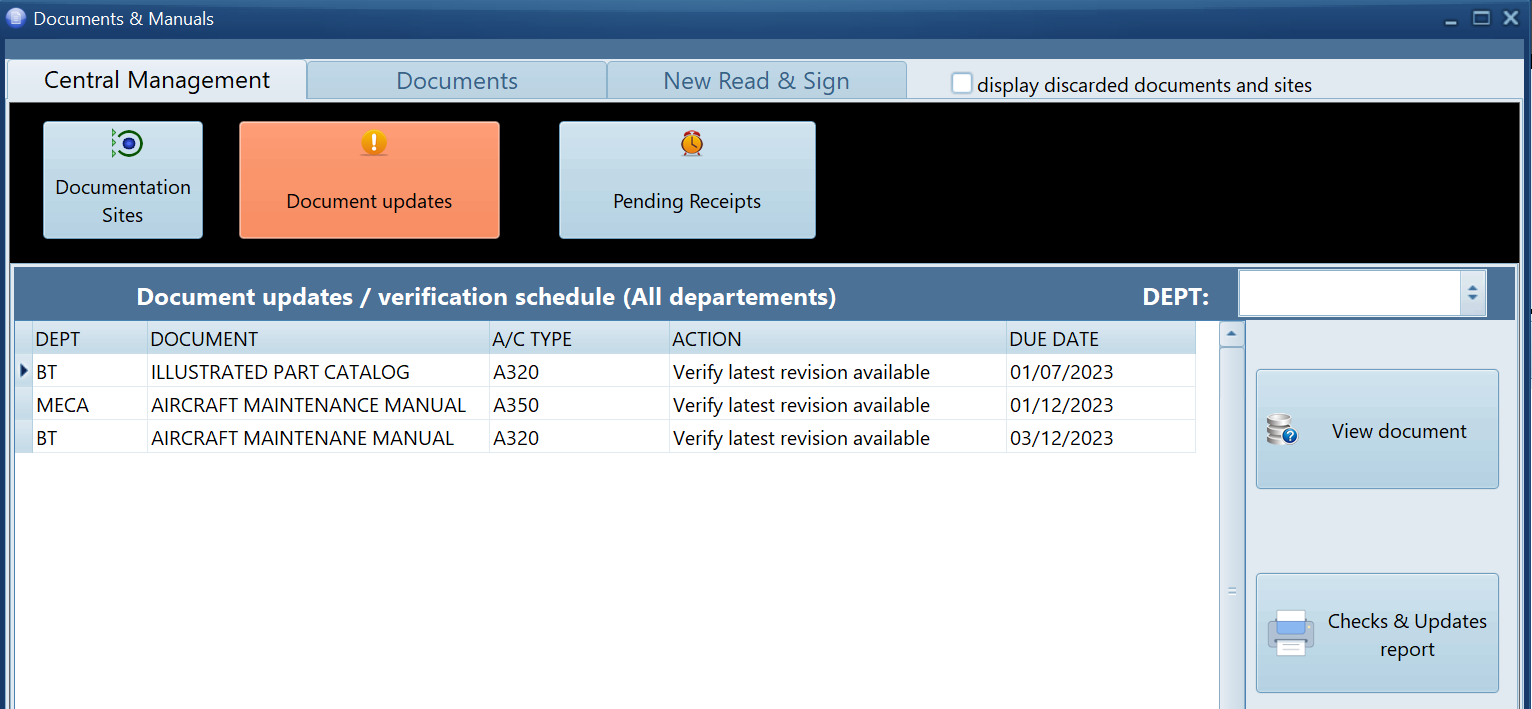
List the document update actions required to maintains your documentation
To perform the stated action, click on the "View Document" button
Pending Receipts:
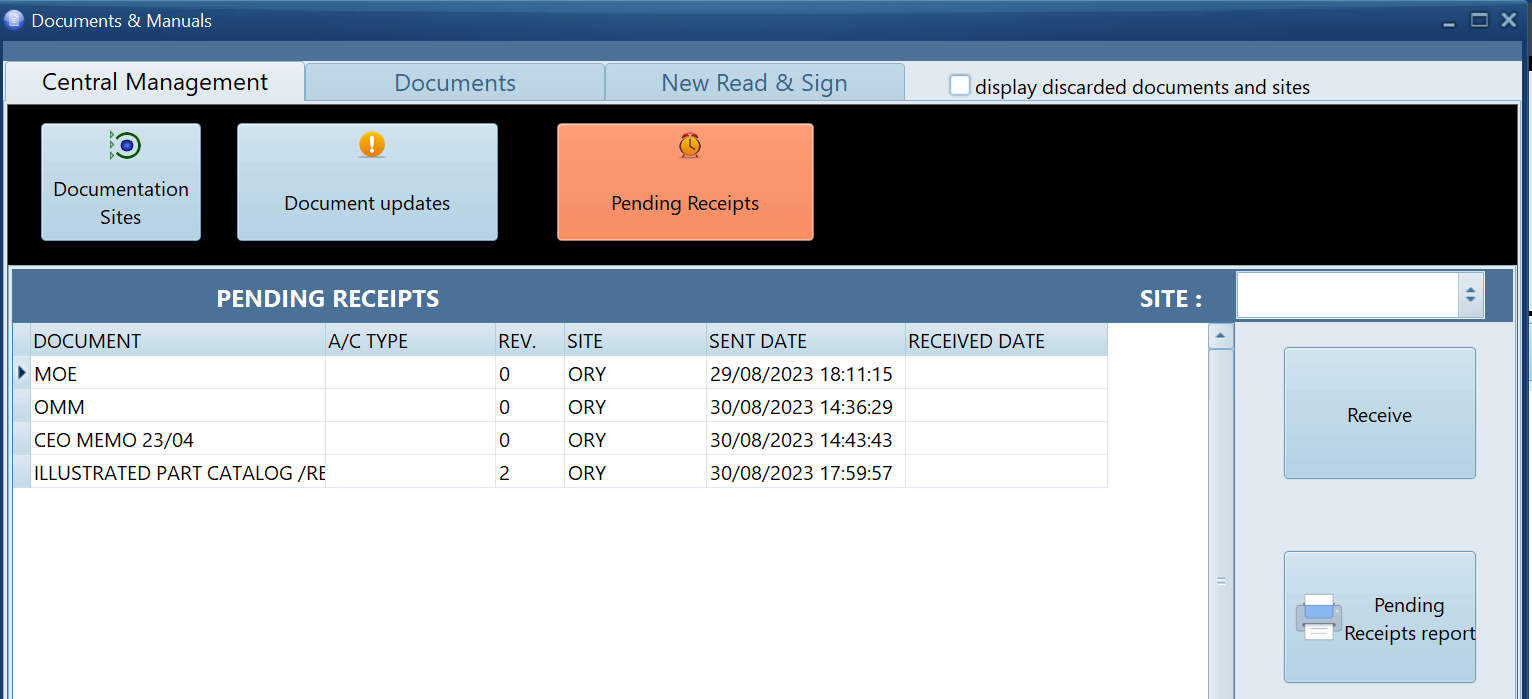
This shows the document distributed to your sites but not yet received
This view can be used to record a document receipt by clicking on the "Receive" button, or send a reminder report by pressing the "Pending Receipts report" button
Receiving new revisions, distributing the documentation to new sites and maintaining existing documents is done in the "Document" tab