|
Resources |
|---|---|
1 |
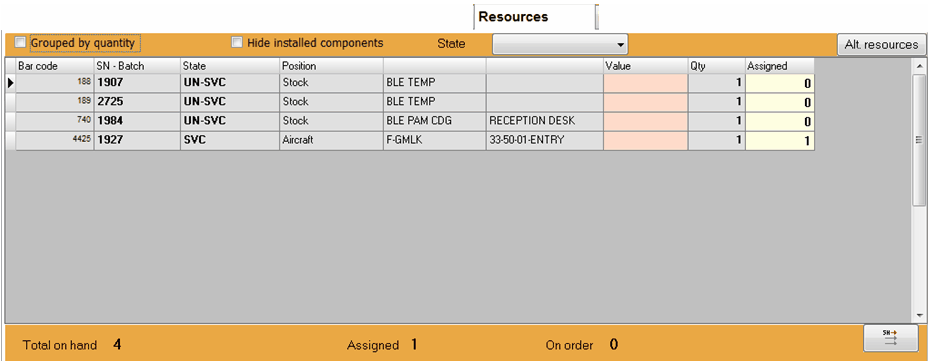
This tab contains all material of the same P/N currently known by iCare AMS, including fitted components: •Bar. code : Material code (assigned by AMS) •SN - Batch : Serial number or batch number, as applicable to this P/N •State : Current state of this material (quarantine : a problem was identified on this material and it is isolated from the other materials until a resolution is found or the material is scrapped; unserviceable : the material is not serviceable (U/S); serviceable: the material is serviceable) •Position : Location of this material (can be Stock / Aircraft / Company, together with the description and reference of the Stock / Aircraft / Company). •Value : Current market value •Qty : Quantity •Assigned : Among the quantity, this is the quantity currently assigned to a specific job (WO) A double click on a listed material will guide you to the Part/Batch module and display more details.
Footer information : •Total on hand : Total quantity currently on hand •Assigned: Among the total on hand, this is the quantity assigned to a specific job (WO). •On order : Quantity currently being procured •The command button
|
2 |
•Grouped by quantity : Display all resource materials grouped by location and state, instead of each individual material
•Hide installed components : Do not display materials (components) currently installed on aircraft
•State : Display only the material which are is this state
|
3 |
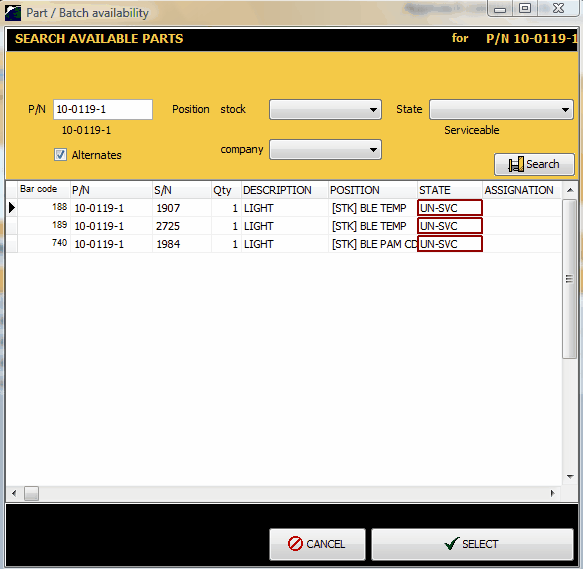
To check for alternate resources (as defined in the Aircraft types and Interchangeability tab), click on the
|