The definition of software types may differ from a National regulation to the other
For the purpose of this chapter, we use the following definitions:
FLS: Field Loadable Software
Non-FLS: Software which can only be loaded by a component shop or at production
Continued Airworthiness includes the management of software which are installed on aircraft (Actual Aircraft Software Configuration) and software which are authorized to be installed (Authorized Aircraft Software Configurations)
The management of installed / authorized software is done using a M.Requirement type "SOFTWARE" for each software version.
The MR can be effective to the aircraft type only if the software is attached to an aircraft (the replacement of a component does not changes the software version), or
The MR can be effective to the aircraft type and P/N if the software is attached to the component (follow the component when removed)
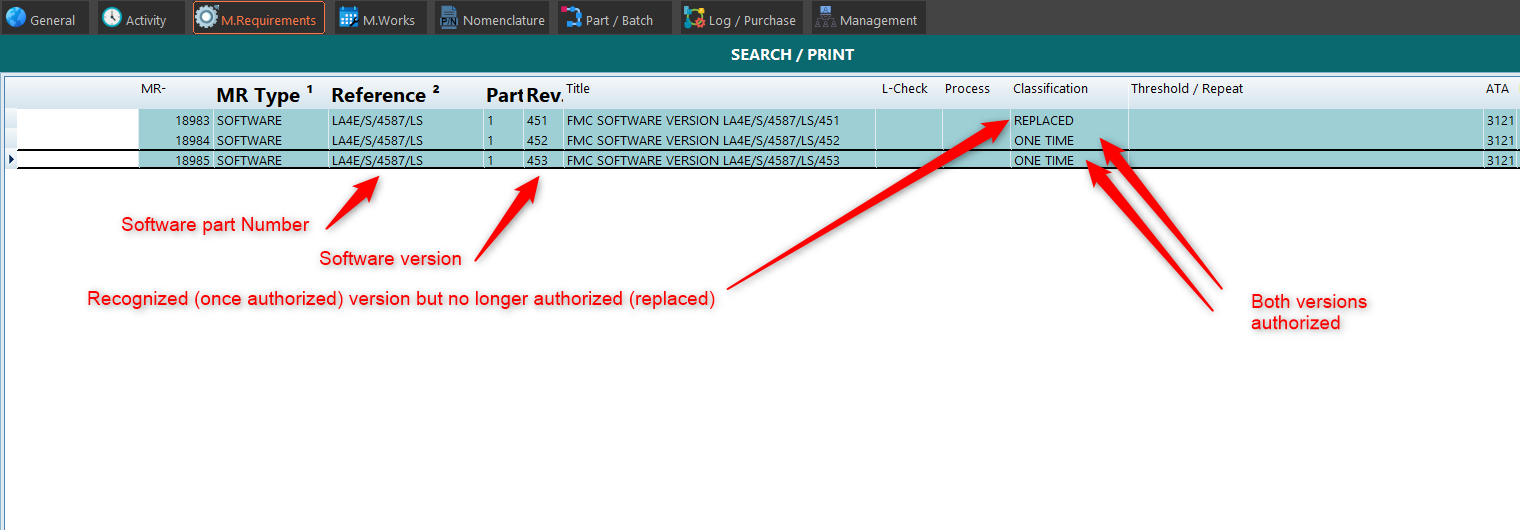
When a SOFTWARE MR is recorded in AMS (and eventually approved if approval of MRs is required under your procedure), the active status of the MR represent an authorized software
If the software version becomes outdated and is no longer authorized, the MR will be canceled (when no replacement exists) or replaced (when a replacement version exists)
the software version is authorized
The current authorized software version list can be issued by selecting (search page):
- MR Type: Software
- Bow "Only active MR" ticked
then press the "Search" button to display this list on screen, or the "MR List" report to export to a pdf file
FLS are identified by the attribute "Line Maintenance" whereas Non-FLS are identified by the attribute "Base maintenance"
Software installation status are managed like any other MR: the status of each aircraft / component is recorded in the "Status" page:
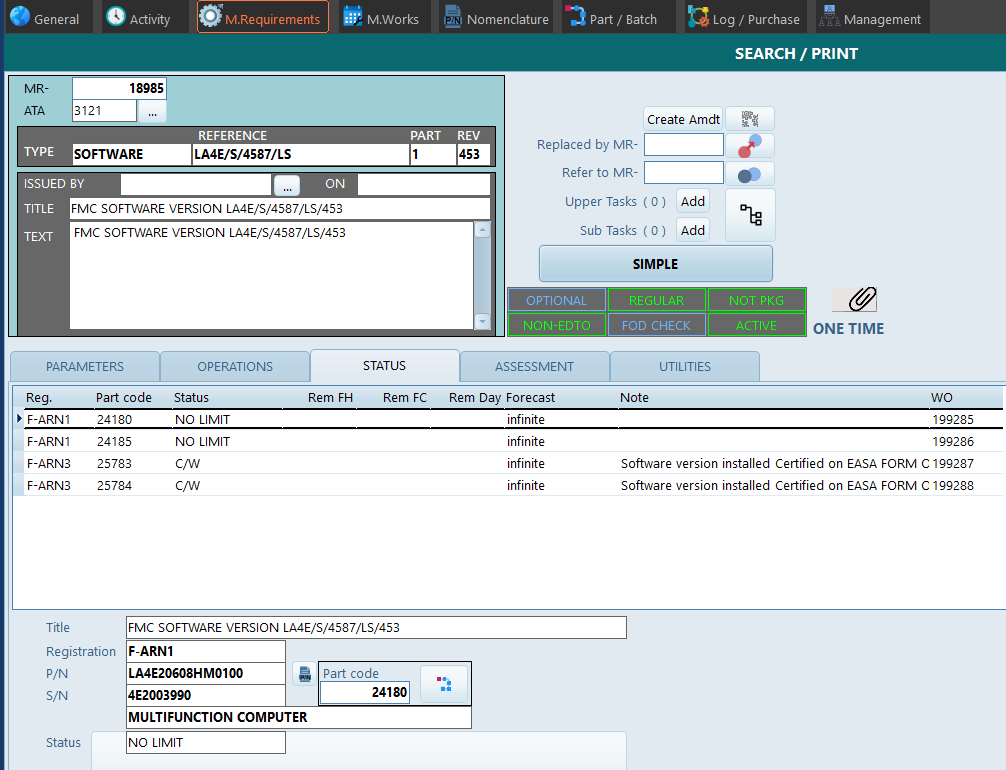
In the above example, version 453 is installed on both FMC fitted onto F-ARN3, but not yet installed on both FMC of F-ARN1.
Note: When an AD and/or SB is mandating/recommending a software version, use the [Refer to MR] functionality to point to this software version (MR)
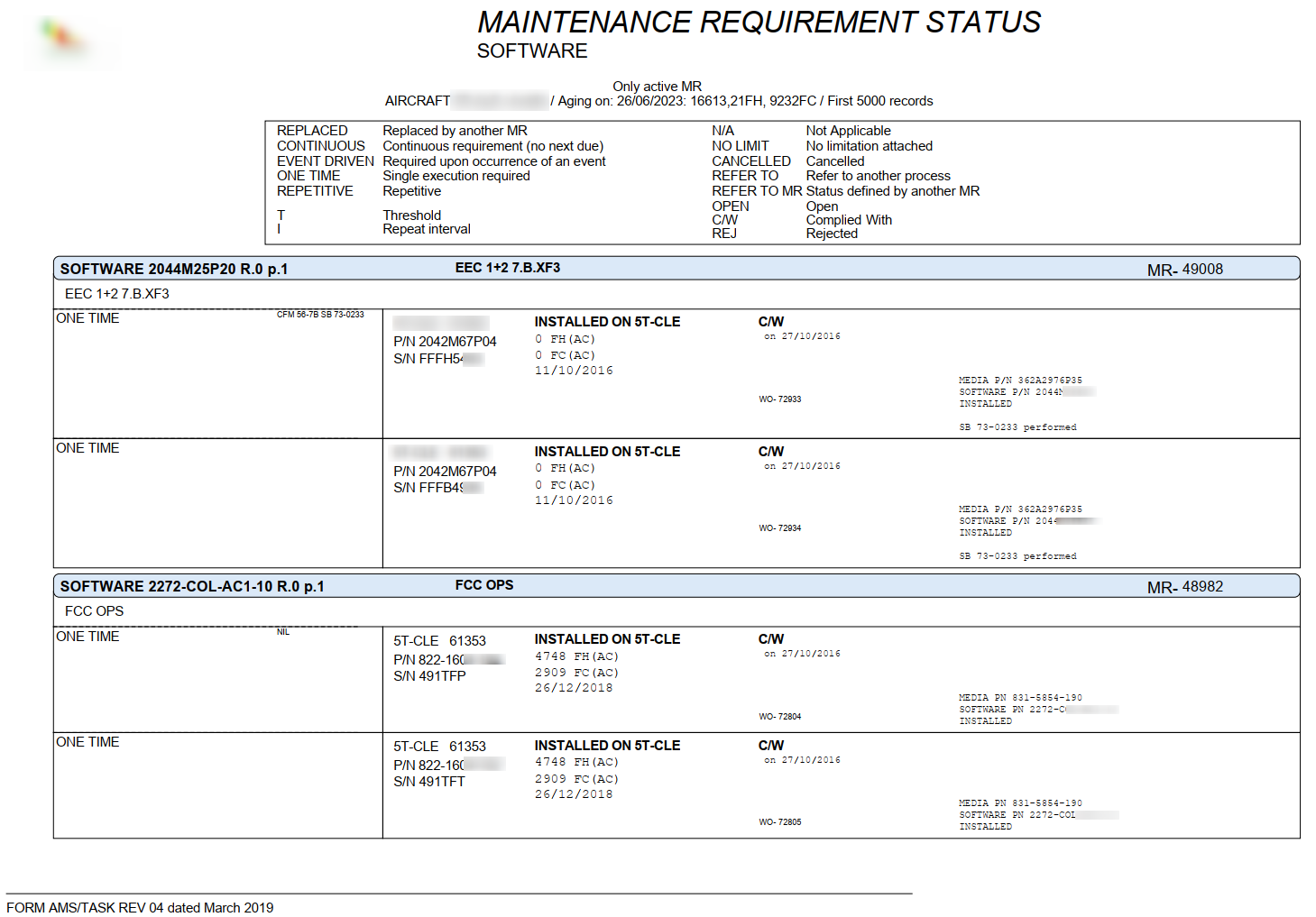
Example of Software Status report: