1) Tracking engine cycles independently on engine #1 and engine #2
To track engines cycles independently on engine #1 and engine #2:
a) In General Settings / Maintenance Protocol, select the Maintenance Programme associated with the concerned fleet of aircraft ( Maintenance / Protocols ).
Add a Complex Factor "ENC" as per the bellow figure:
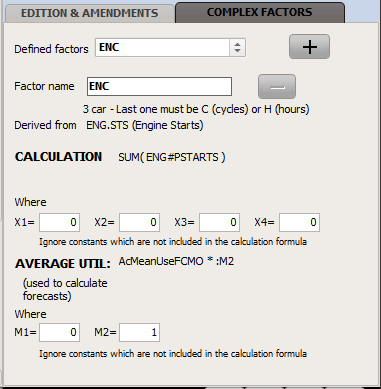
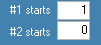
When the "ENC" (Engine Cycles) complex factor is defined, the number of engine starts must be entered in the activity module:
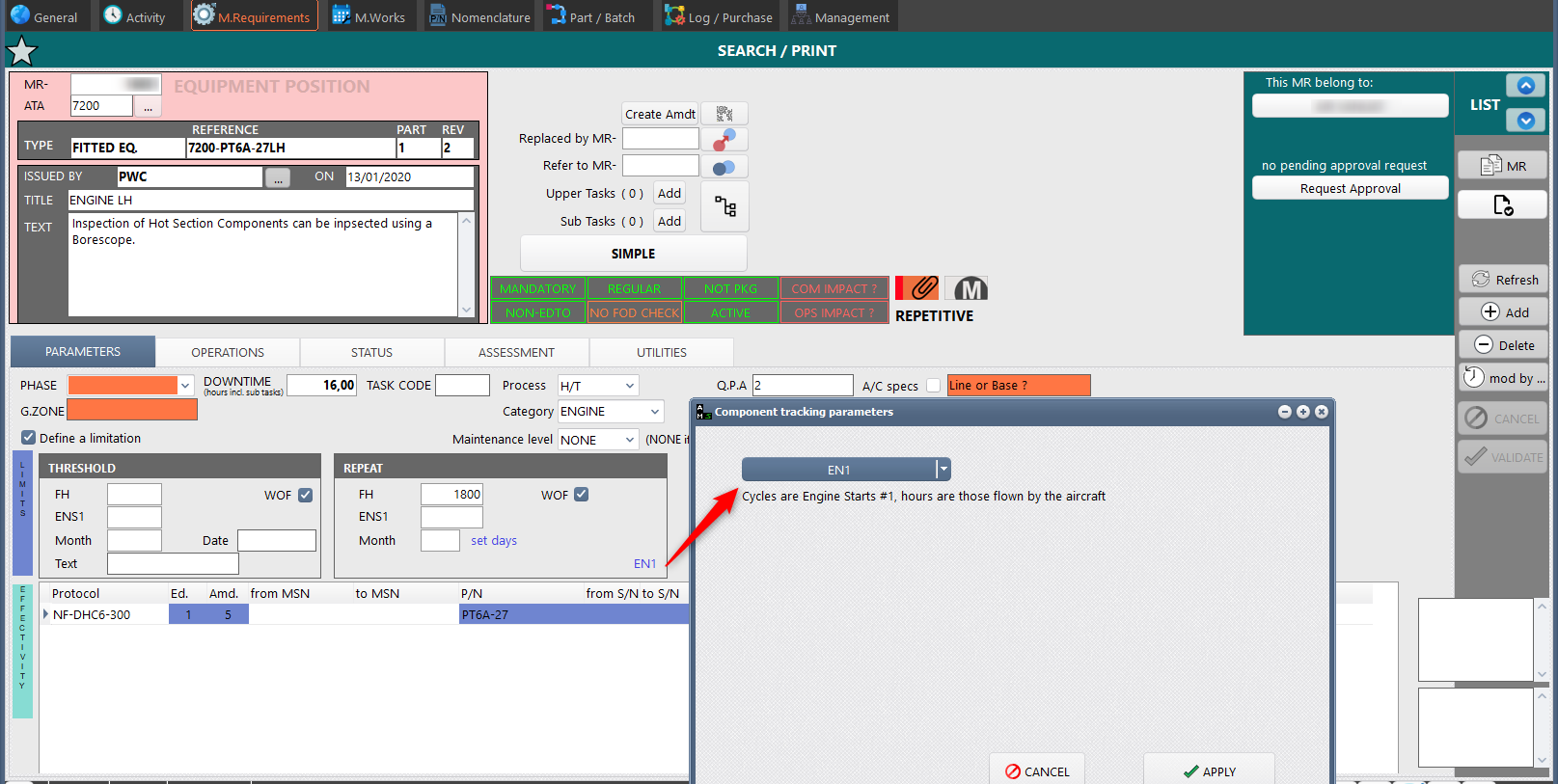
b) For each engine position MR (Maintenance Requirement), set the tracking parameter to EN1 or EN2 as appropriate (EN1 for LH side, EN2 for RH side):
2) Engine Cycle Factors
If you are operating engines having hourly and/or cycle count factors (typically the factor will change depending on the engine type and power rating), proceed as follows:
On each MR ( M.Requirements ) related to a component having a cycle (CCF) or hourly (HCF) count factor, enter the appropriate factor into the fields "FH Count Factor" & "Cycles Count Factor". The components fitted to these positions will also display the same CCF / HCF factors and the total number of hours / cycles incorporating these factors
3) Independent hours / cycles components (including APU)
To track components having an independent activity recording (eg. APU, specific components tracked by their specific utilization like winches, weapons and anti-weapons systems), modify the Component Position (MR) tracking parameter to:
EQH: Track the component hours. The component hours shall be recorded independently from the aircraft, in the "Hours / Cycles" section of Component Life window.
EQC: Track the component cycles. The component cycles shall be recorded independently from the aircraft, in the "Hours / Cycles" section of Component Life window.
EHC: Track the component hours and cycles. The component hours and cycles shall be recorded independently from the aircraft, in the "Hours / Cycles" section of Component Life window.
Figure: refer to /1.b/ above
If the component hours / cycles is to be recorded on each trip record, define a LogBook caption:
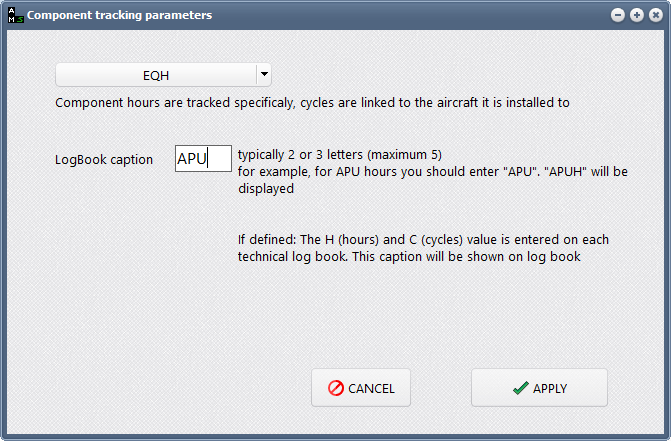
This will cause a new field "APUH" to be available on the FLIGHT LOG / Component utilization section
If the component utilization is to be recorded at a defined interval, set a MR to track this component utilization (request an APU hora-meter readout for example) and record the captured value in the component (Part/Batch module) utilization HOURS & CYCLES section:
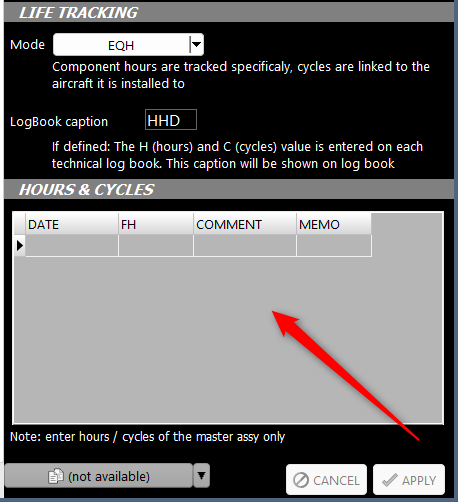
IMPORTANT NOTES:
•When several components are tracked using the same parameter, use the same Logbook caption. When you record utilization of a component on the a flight log, or the component utilization section, this will apply to all components installed on that aircraft sharing this parameter
•If you do not define a Logbook caption, the component utilization will only affect this component and no parameter will be available of the flight log
•If you define a logbook caption, you can still record extra hours / cycles in the component utilization section (Part / Batch module)
•Once a component utilization parameter has been defined, it is recommended not to change it unless you understand the data behind and you tested this modification in a test environment. The same will apply with the change of component tracking mode when such component already has an history.
•If a tracking parameter is defined (tracking mode is set to any "non AC" mode), all MR related to the same component (all parts of the same Kardex position, but also all AD/SB/EO related to the same component) must be set to the same tracking mode.