The AWB module manages all shipments associated with the Logistics & Purchase module ( Log / Purchase )
The AWB functionality is available from the following Logistics & Purchase sub-modules:
PO (Purchase Order)
PO/R (Repair Order)
REQ (Requisition)
TR (Transfer Request)
M.OUT (Material Outbound)
IN.in (Supplier Invoices)
From any of the above sub-modules, a right click on a row item gives access to the AWB :
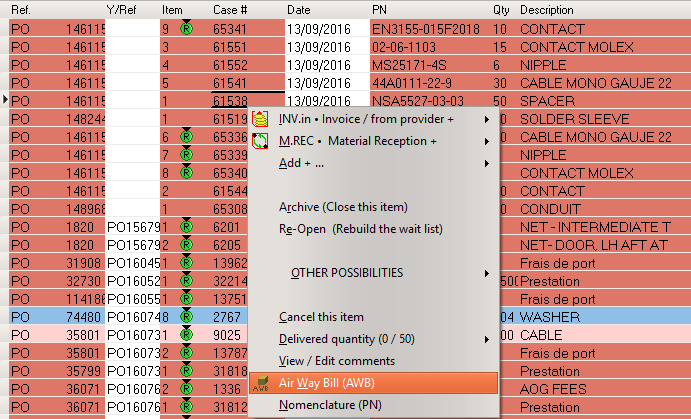
When accessed using the above contextual menu, the AWB module can be used to:
- Consult an existing AWB associated to this logistics document
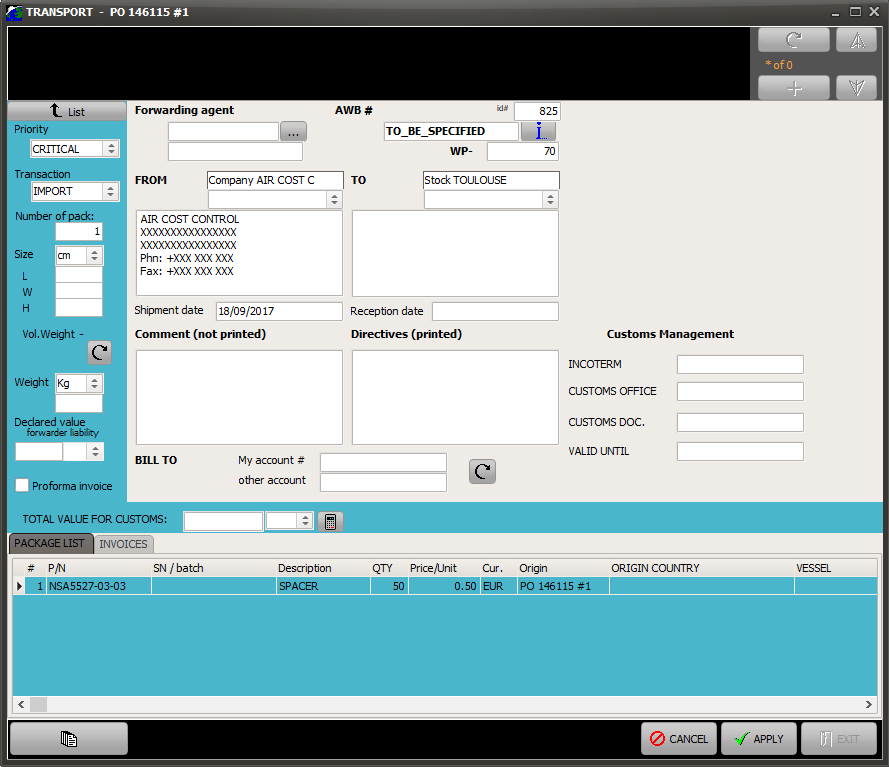
After a left click on the above menu, the AWB module displays the header information of the existing AWB. Double click on this AWB to display more details as per the bellow figure.
- Create a new AWB associated to this logistics document
After a loft click on the above menu, the AWB module displays an empty list (no AWB associated with this document). You can click on the + sign located on the top right corner to generate a new AWB and select the materials from the source document to be added. Once the desired materials are added to the AWB, the AWB details are displayed as per the bellow figure.
To browse all AWB, open the AWB module using the AWB button located at the bottom of your screen:

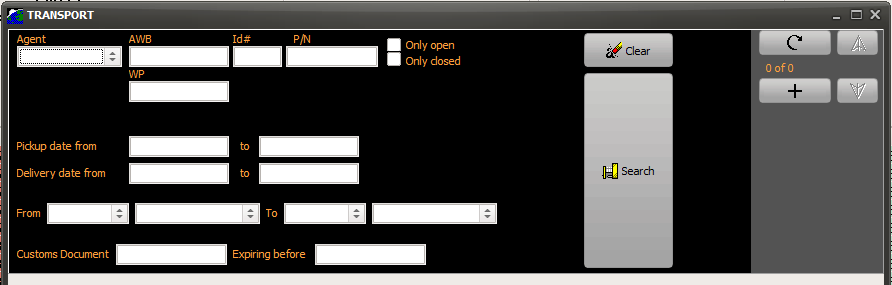
When accessed from this menu, the AWB module will displays a list of search criteria to browse all recorded AWB
Enter your search then click on the "Search" button to display the matching AWBs
Beside the common fields of an AWB (origin & destination addresses, AWB reference, name of the forwarding agent, Import/Export, package size, number of packages, shipping accounts) this module also contains:
- The full list of transported goods (Packing Slip)
- The total value of transported good for Customs (this value can calculated by AMS or entered manually)
- The pickup date and reception date (the latest can be entered manually and is updated automatically when the materials are received M.REC)
- The Customs related elements (Incoterms / Customs references / Good declaration reference and temporary import reference and validity)
- All invoices associated with the AWB (Transport / Customs clearance & duty / Others) are listed on the "Invoices" tab (right click on this list to add a new invoice)
- Pro-Forma and Packing Slips can be issued by clicking on the Report button (bottom left corner)