|
DISPLAY |
DESCRIPTION |
|---|---|---|
1 |
|
Press this button to display the component valuation window ( Component Valuation )
|
2 |
|
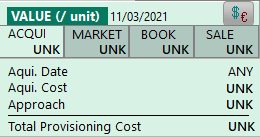
The acquisition value is the price paid to acquire the material (purchase price) •Date : Valuation date •Cost: Price paid in the origianal currency (1st line) and in you default currency •Condition: Condition of the part when purchased Also refer to Parts Values
|
3 |
|
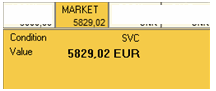
The market value is the fare current value of this part based on its current condition •Condition: Condition taken into consideration for this valuation •Value: Actual Market Value, in your default currency. Also refer to Parts Values |
4 |
|
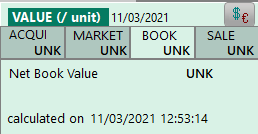
The book value is the residual value of this part in your accounts This price is never updated by iCare AMS. It is only showing a value when iCare AMS is configured to obtain this value from your accounting system |
5 |
|
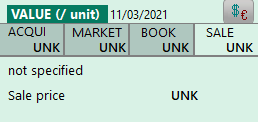
This Sale value is user defined and indicate the minimum price this part can be sold for, when the part is for sale. UNK indicates this part is not for sale |