Each module, sub-module and function of AMS has its own behavior designed to facilitate the most common (frequent) utilization. On the other hand, AMS is also widely using interface commonalities to keep the user comfortable while working across several modules.
Consulting data
Most of the data selection is done using the same logic:
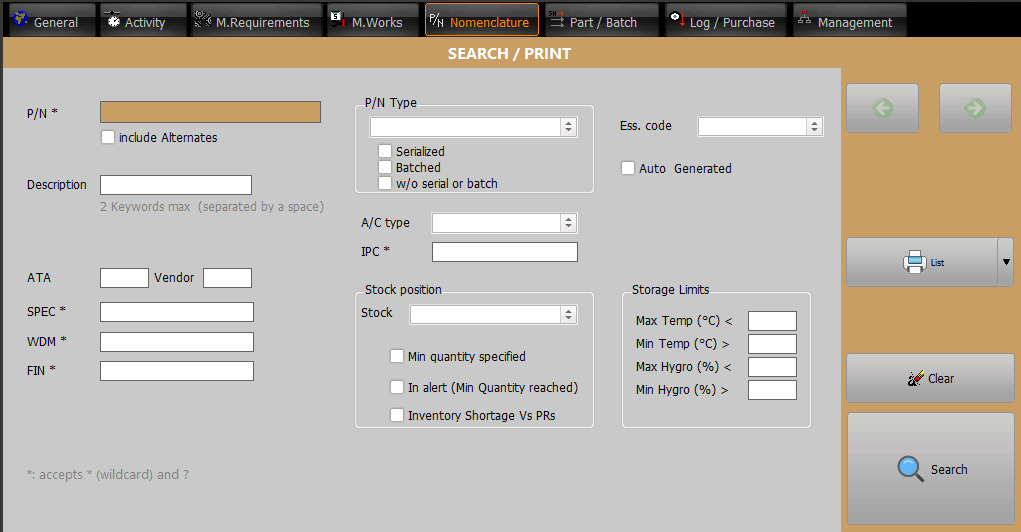
1- A Search filter which is displayed at the top of the window:
2- The Search button which requests the data to the server
3- A list of results matching your criteria
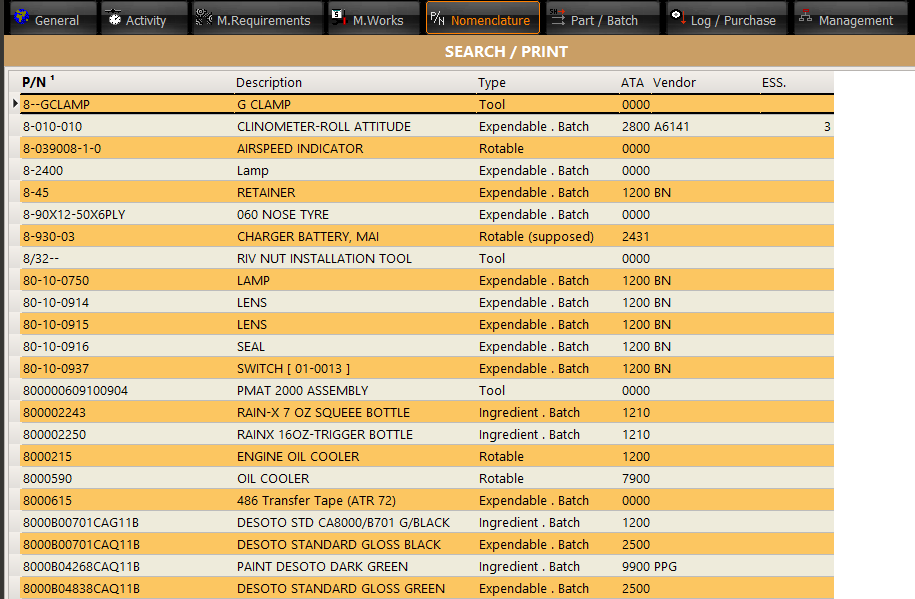
Note that most of the result grids can be sorted by any column. Click on a column title and the grid will be sorted by this column. When the selected column does not fully defines a unique order, another column is automatically selected as a secondary sorting order (the sorting order is displayed as exponent in the column title)
Going deeper into information
Many objects displayed on the screen are sensitive. To go deeper into information, right click on the object (like in the above list on P/N) to obtain a contextual menu, or double click to let AMS guide you to a more detailed information. When the details about the selected item are displayed, you can continue to go deeper and deeper using the same interface. This behavior will automatically switch your display to other modules but the original window you came from is still available in a single click (by clicking on the module you are coming from), without searching into several tiled windows.