
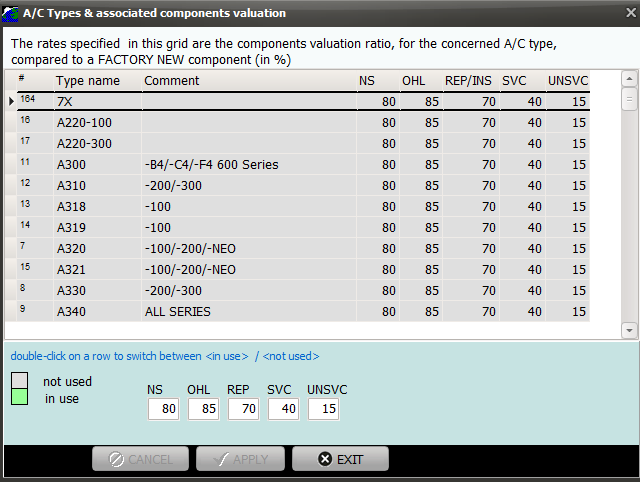
The list of aircraft types which can be selected in AMS are displayed in green color. To select / deselect an aircraft type, double click on the concern row and validate your change.
The different rates defined below are used to valuate components by comparing their current condition with the condition of purchase, when the aircraft type is known.
| NS: | Valuation rate (%) of <New Surplus> materials compared to factory new. |
| OHL: | Valuation rate (%) of <Overhauled> materials compared to factory new. |
| REP/INS: | Valuation rate (%) of <Repaired/Inspected> materials compared to factory new. |
| SVC: | Valuation rate (%) of <Serviceable> materials compared to factory new. |
| note: in this context, <serviceable> means <serviceable only>, not repaired or inspected or overhauled. |
| UNSVC: | Valuation rate (%) of <Unserviceable> materials compared to factory new. |
Note: When the aircraft type is unknown, the system uses the default valuation rates defined in General Setting / Log/Purchase settings / Default settings/