MR Types
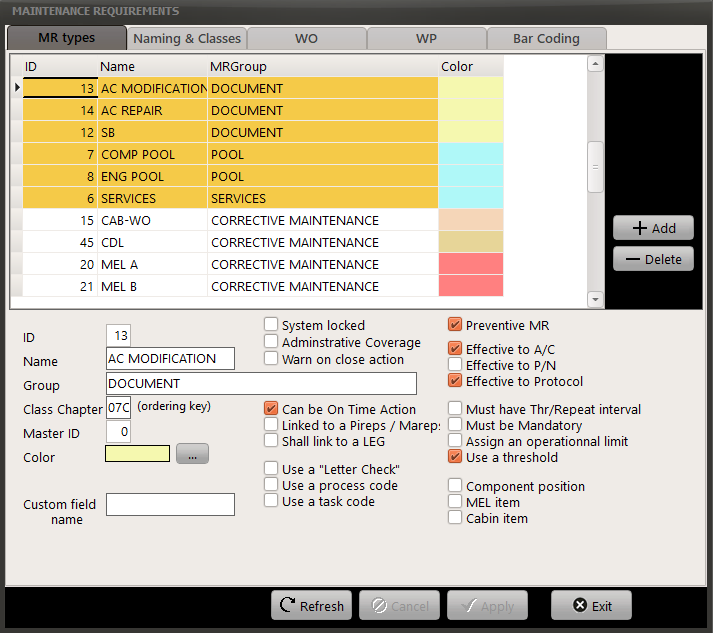
Each MR (Maintenance Requirements) can be defined and tailored to your organization. This window lets you define the behavior of each MR, including its associated color. Modification of these parameters should be reserved to advanced AMS users only as a single check box checked or unchecked may have a strong influence on the software behavior.
Some MR types are protected against change. If you attempt to modify a system protected MR type, an error message will be displayed.
| ID: | unique identifier - set by the system |
| Name: | name of the MR type |
| Group: | name of the group of MR if the concerned MR pertains to a group, extended name otherwise |
| Class Chapter: | the chapter related to this MR type in your maintenance program |
| Master ID | 1 |
| Parent: | ID of the MR type containing this type of MR, if any |
| Color: | Color displayed on screen with this MR type |
Ref n°3/Custom field name: name of an additional field you can use to store customs data (textual)
| System locked: | indicates that this MR type should not be modified (see note 1 below) |
Administrative Coverage: 1
| Warn on close action: | display a warning message when a user close a WO related to this MR type |
| Can be On Time Action: | this type of MR can be executed only one time (no repeat interval) |
| Linked to a Pireps/Mareps: | The reference of the leg of origin is displayed on the WO |
| Shall link to a LEG: | the Leg of origin must be defined on each related WO |
| Use a "Letter Check": | "Letter check" field is displayed on the MR |
| Use a process code: | "Process code" field is displayed on the MR |
| Use a task code: | "Task code" field is displayed on the MR |
| Preventive MR: | This MR type is not related to corrective maintenance |
| Effective to AC: | Can be effective to aircraft types |
| Effective to P/N: | Can be effective to P/N |
| Effective to Protocol: | Can be effective to a maintenance protocol (maintenance program) |
| Must be mandatory: | The MR is of mandatory type. |
| Must have a repeat interval/threshold : | a next due systematically exists (except if Not Applicable) |
| Assign an operational limit: | an average operational interval can be defines in addition to the mandatory interval (for costing purpose) |
| Use a threshold: | Threshold fields are displayed on the MR |
| Kardex/Component position: | This MR type represent a component placement in an aircraft |
| MEL item: | This MR type is an HIL category from the Main Equipment List |
| Cabin item: | this MR type concerns the cabin condition |
Note 1: All MR types having an ID <= 39 are protected against modifications to fields represented by check boxes. If you wish to modify such data, please contact us.
Naming & Classes
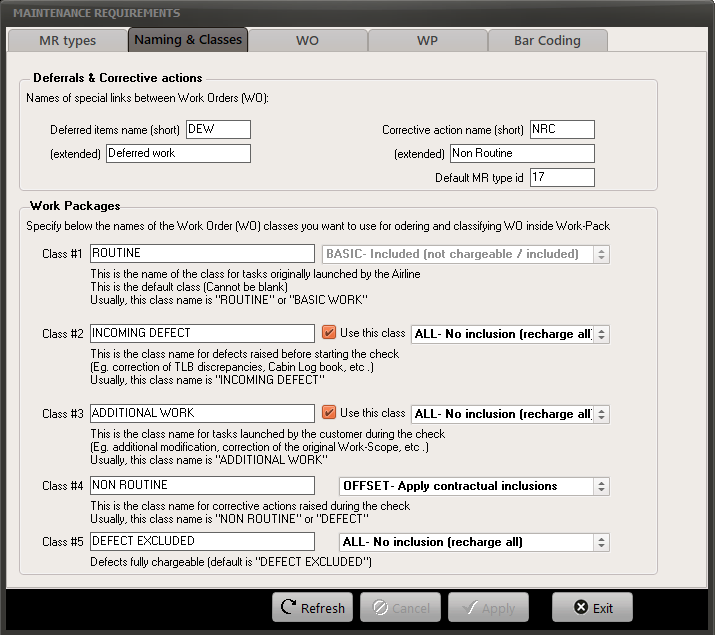
| Deferred items name (short): | short name of deferred items (default <DW>) |
| Deferred items name (extended) | full name of deferred items (default <Deferred works>) |
| Corrective action name (short) | short name of corrective actions (default <ADW>) |
| Corrective (extended) | full name of corrective actions (default <Additional work>) |
| Default MR type id | MR type (ID) of WO generated as additional work (do not modify) |
| Class #1 to #5 | Names of the different WO classes - Invoicing purpose |
WO Classes defines how a WOs and its associated defects are handled.
Here are the rules defining the default CLASS assigned to a WO:
- a defect generated from a WO having a CLASS / COSTCODE "ALL" (No Inclusion) is CLASS 5 (Defect excluded by default)
- a defect generated from a WO having another COSTCODE is CLASS 4 (Defect or Non Routine by default)
- a new WO (not a defect) is assigned to the CLASS defined by its task type (defined in TGenTaskType.WPClassAffinity), or CLASS 1 if TGenTaskType.WPClassAffinity is not defined
WARNING: By default, no WPClassAffinity is defined and will result to a CLASS 1 (Routine); To define a value in TGenTaskType.WPClassAffinity, the value shall be the desired CLASS x 10 (for example, to define a default CLASS of 3: TGenTaskType.WPClassAffinity = 30).
WO
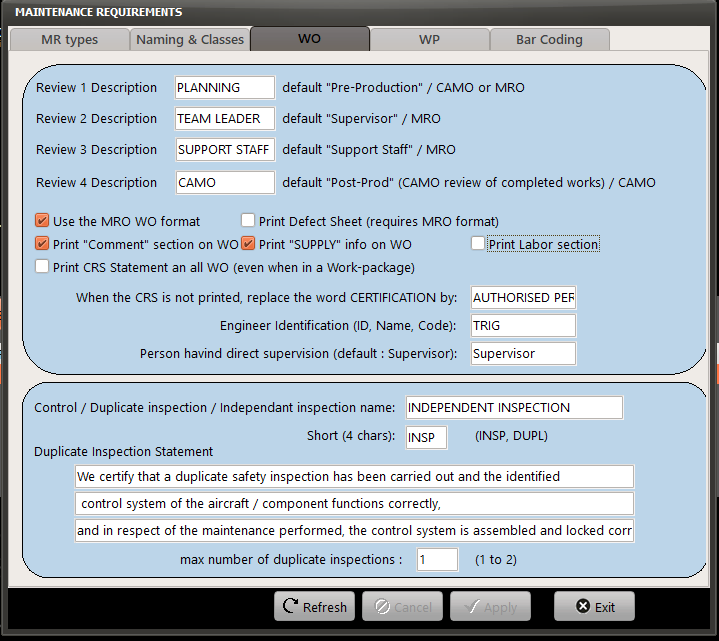
Set the above preferences as desired
WP
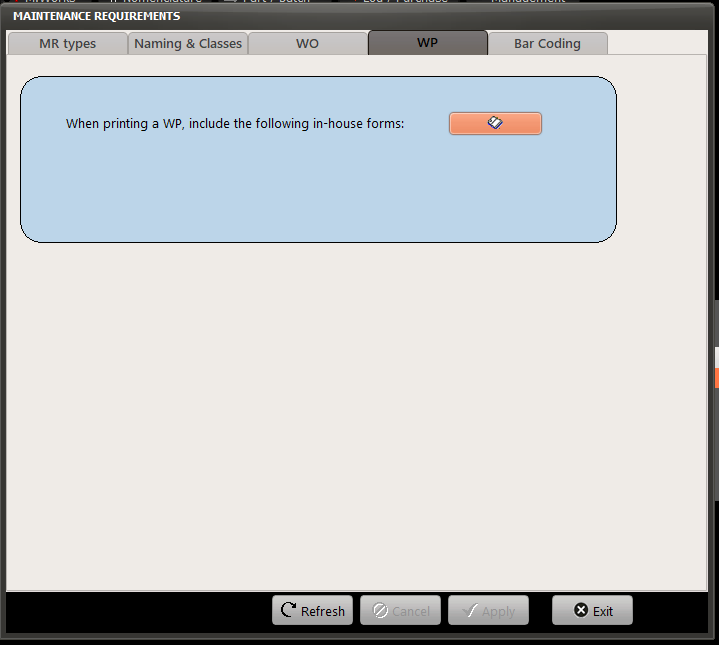
Use the above function (left click on the "attached documents" button to include any in-house forms to your work-packages. These files must be ".pdf"
When printing a work-package ( Print a Work-Pack ), check the box "In-house Forms" to includes all forms added using the above function.
Bar Coding
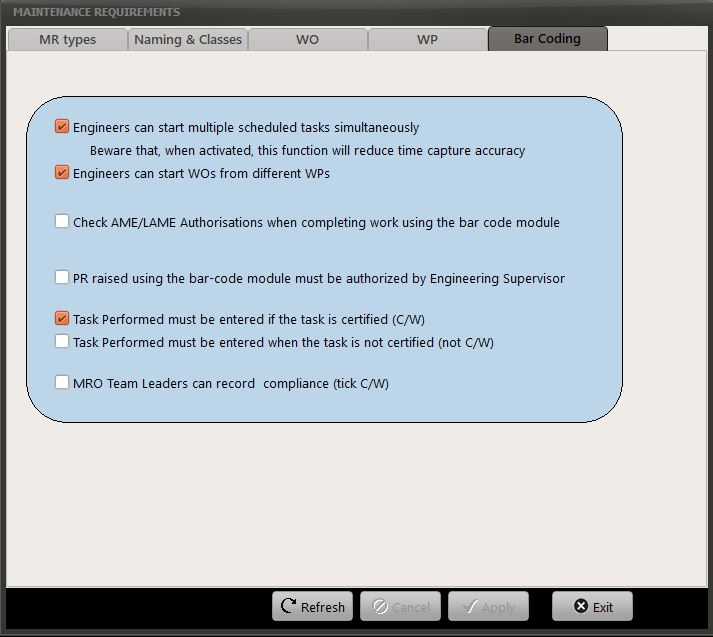
Set the preferences as desired: