|
|
|---|---|
1 |
All sub-modules share the same general interface. •To search any type of document matching certain criteria, use the
•To search for a specific document type, use the appropriate sub-module: •
|
2 |
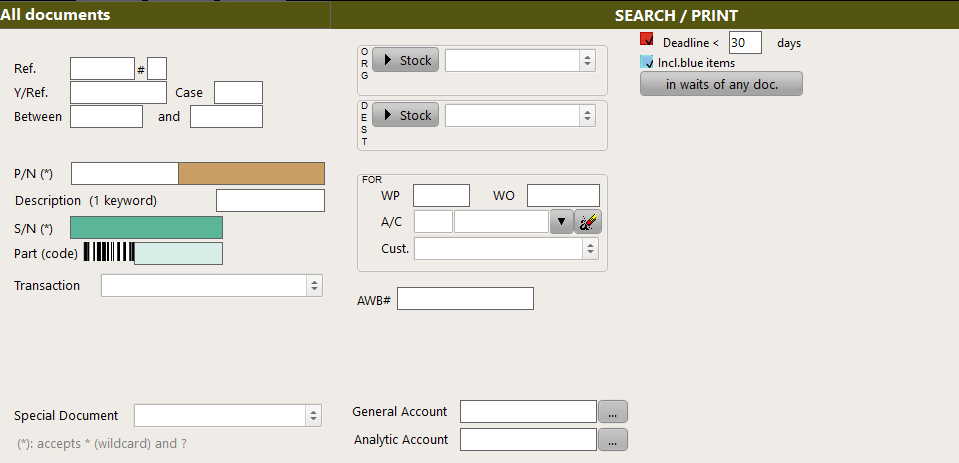
Enter your search parameters based on the information you want to retrieve :
|
3 |
By default, and when applicable to the selected sub-module, the deadline is 30 days. If you let this default parameter, AMS will display any document matching the search parameters and having a deadline within the next 30 days:
|
4
|
Blue items (which are the documents already processed but in wait) can be included or excluded:
|
5 |
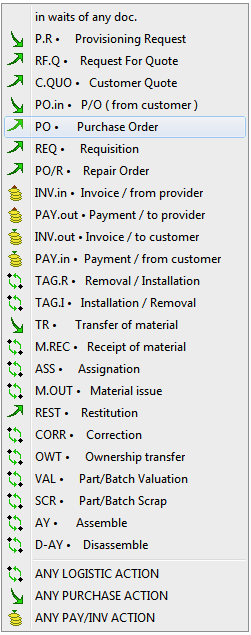
to view all documents in wait of a specific other document, use this drop down button :
then select the document (in this example you will display all document in wait of a PO (Purchase Order) :
|
6 |
to search for documents associated with an AWB# (Airway Bill), use this field :
|
7 |
Similar to the other modules, the left arrow and right arrow buttons
|