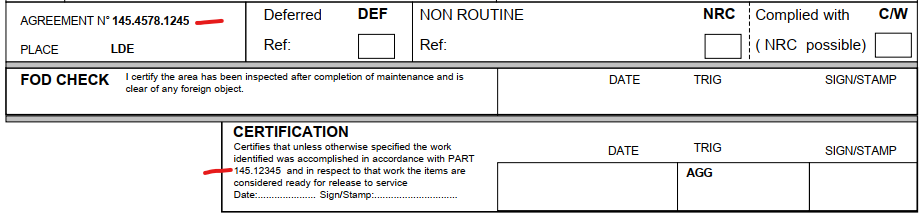
Your default Part 145 approval is recorded in your General Settings, but you can also handle it for each Work Package and use different Part 145 approvals, as well as different Rule Part reference:
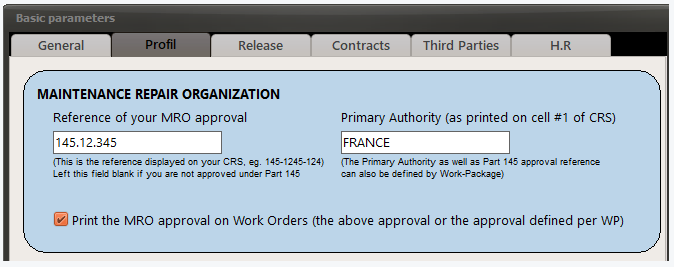
1/ In your General Settings, make sure that you selected the option "Print the MRO approval on Work Orders":
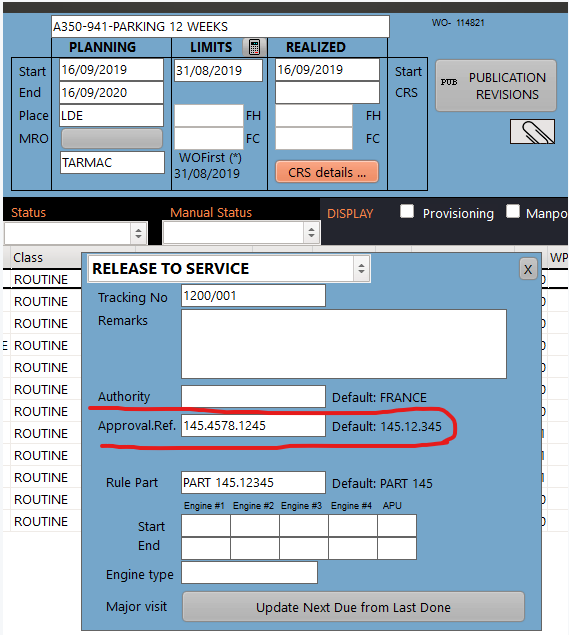
2/ In the concerned WP, set the "Approval Ref" and "Rule Part", as applicable, using the "CRS details" button":
Your WOs are now displaying the Agreement reference defined for this WP, and the specific reference to the Rule Part.
Note: The CRS statement is optional.