Even if all logistic requests are handled in a timely fashion in all logistics modules, you might face inventory shortages due to deliveries not matching the actual due date of the PR, or delays in deliveries, or simply because you assumed the quantity currently in stock is sufficient whereas other PRs for the same P/N might make this wrong.
During the overnight maintenance of your database, AMS reviews all Provisioning Requests (PRs) and simulates the variation of inventory based on parts expected to be received from your PO (Purchase Orders), your requisitions (REQ) and yours repair orders (PO/R); including alternate P/Ns. This analysis allows AMS to determine exactly when a shortage will happen. This information is then communicated to the relevant users (ref below) for correcting this shortage situation.
Receive Inventory Shortage notifications:
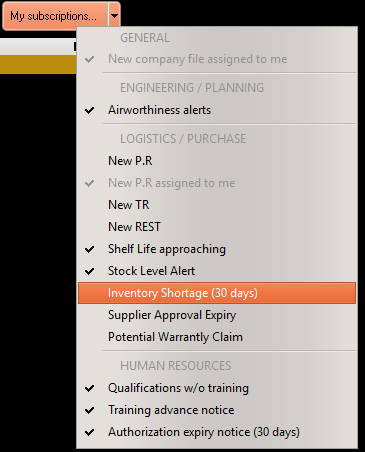
To receive notifications (by email as well as internal AMS messages), select the notification service "Inventory Shortage"
For more details, refer to Notification, Alerts and Messaging service
View all shortages and their computation details:
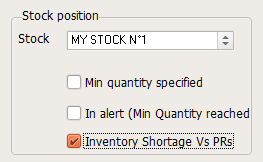
To view the list of current shortages, go to the Nomenclature module and select
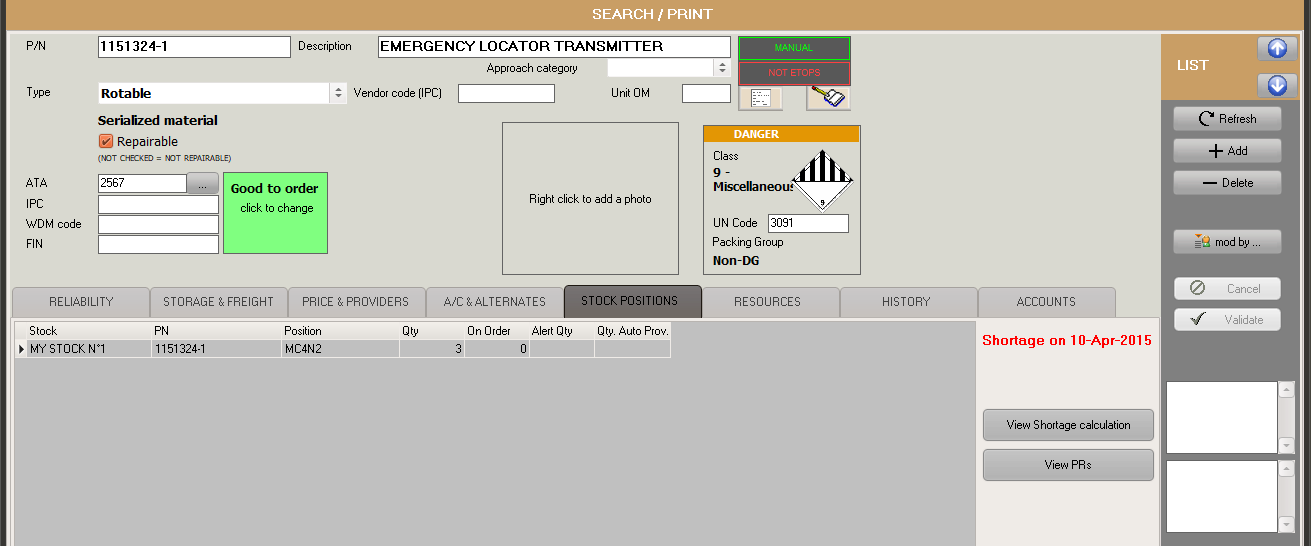
To view how AMS computed this shortage and understand what needs to be rectified, select the desired PN and click on the View Shortage Calculation button:
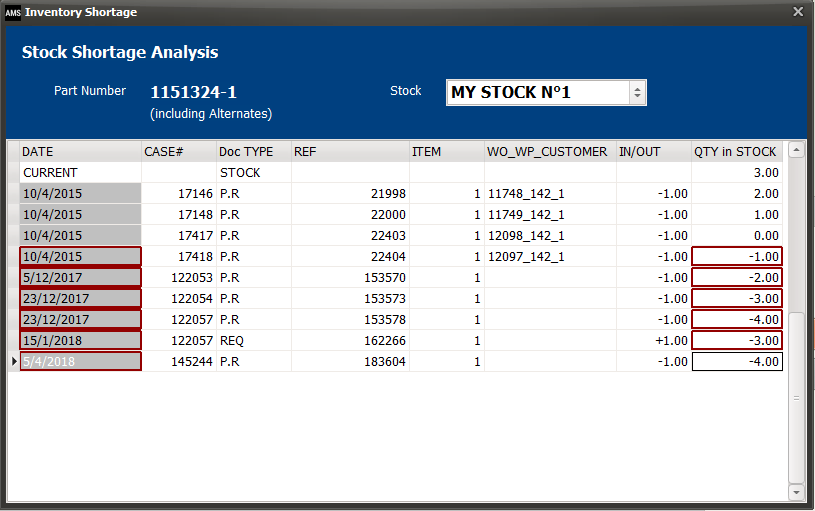
This window shows how your stock quantity will behave and highlights negative values (shortages)
Note 2: PRs for stock replenishment (having no WO, no WP and no customer) are excluded from this inventory shortage analysis