This procedure explains how to receive a material from an external source into the store using the assistant. For the general procedure without using the assistant, refer to How to receive a material into stock?
NOTE: You can define if one or several departments are required to approve MREC in your General Settings ( Data flow & Department approvals )
1/ Open AMS and log in
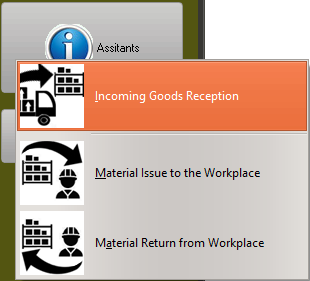
2/ Select the module Log/Purchase, then Assistant / Incoming Goods Reception:
3/ The assistant windows opens and displays each field in sequential order
Enter each field and press "Enter" to move to the next field
Note 1: When you do not know the value of a field and when it is permitted to let this field blank, press the "Enter" key to move to the next field.
Note 2: Where a bar code icon is displayed on the right side of a field, you can use your bar code reader to scan the code
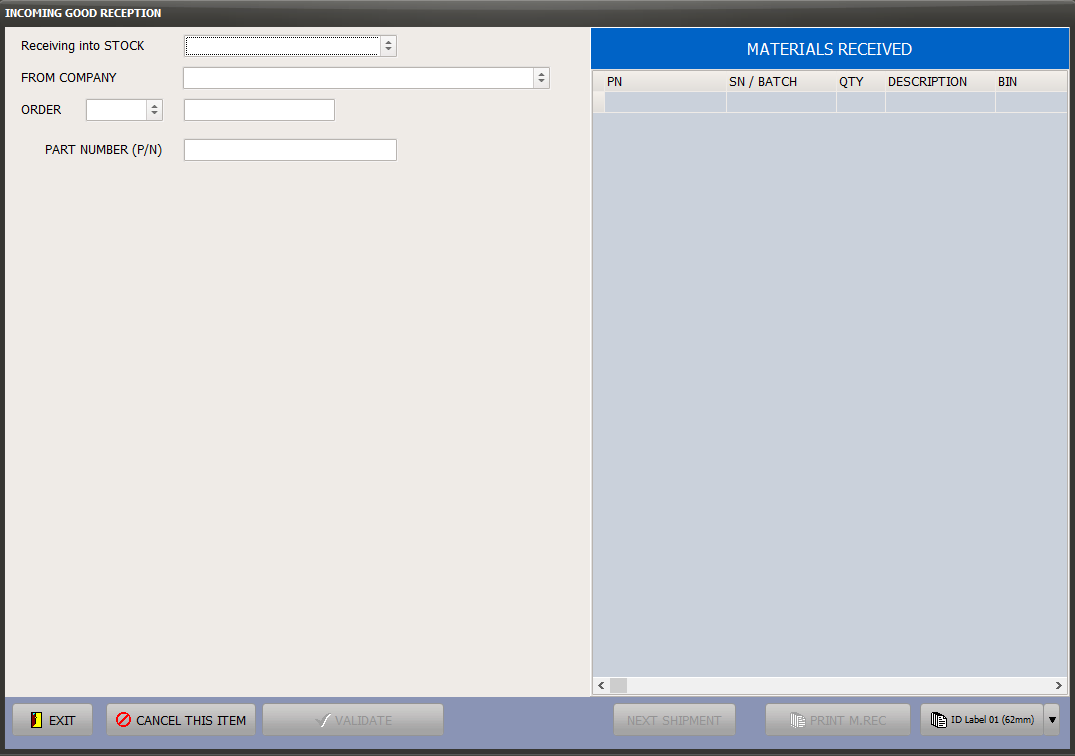
The above assistant is designed to accommodate with many situations and guide you thru the material reception process. Start by entering the STOCK that you are receiving into and the first field that you know.
For example, you can select "PO" in the field "ORDER" and then the reference of the Purchase Order. If you do not know the order reference (PO - PO/R - REQ - Internal Transfer), you can select AWB and enter the AWB reference for AMS to look-up the orders pending delivery under this AWB reference.
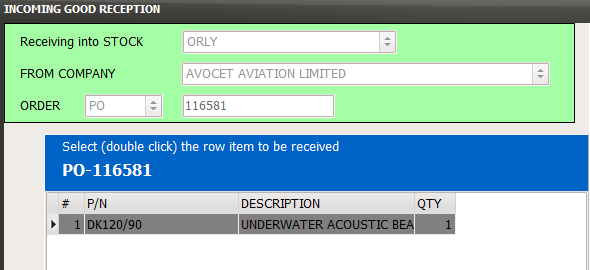
4/ Once the source is identified, a selection box is displayed and is showing the materials to be received. Double click on the desired row item to continue the good reception:
5/ Enter the material references and certification. Perform the Incoming Good acceptance procedure in accordance with your company procedures to ensure the material being received meet the requirements of your company.
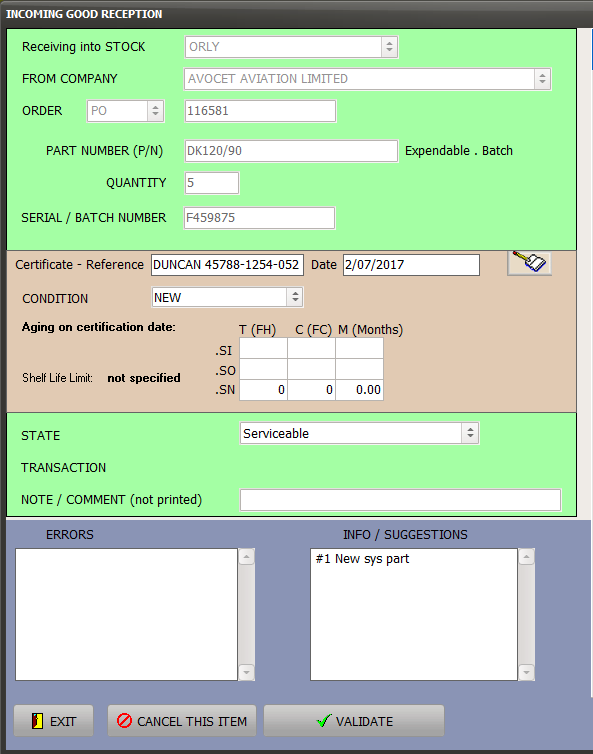
6/ Press the VALIDATE button
7/ If this was the last good from this package, print the M.REC and the Identification labels (bar codes)

If other goods from the same package need to be received, enter each good by repeating steps 4 to 7 for each material