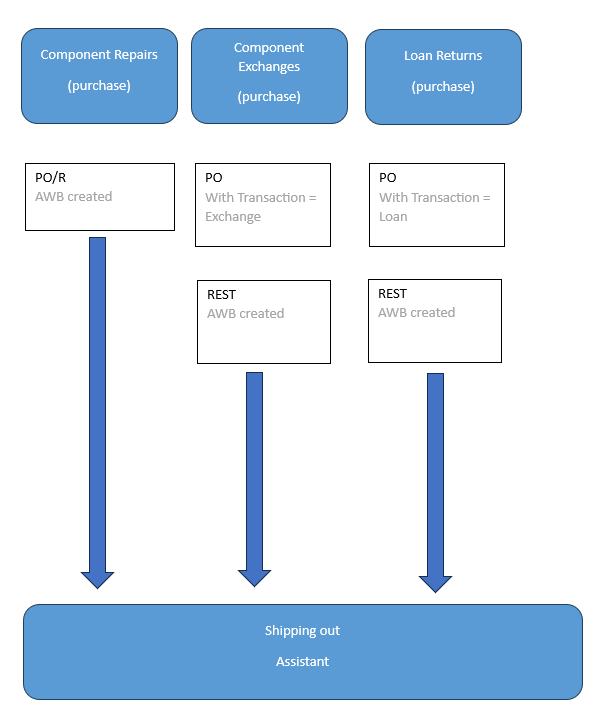
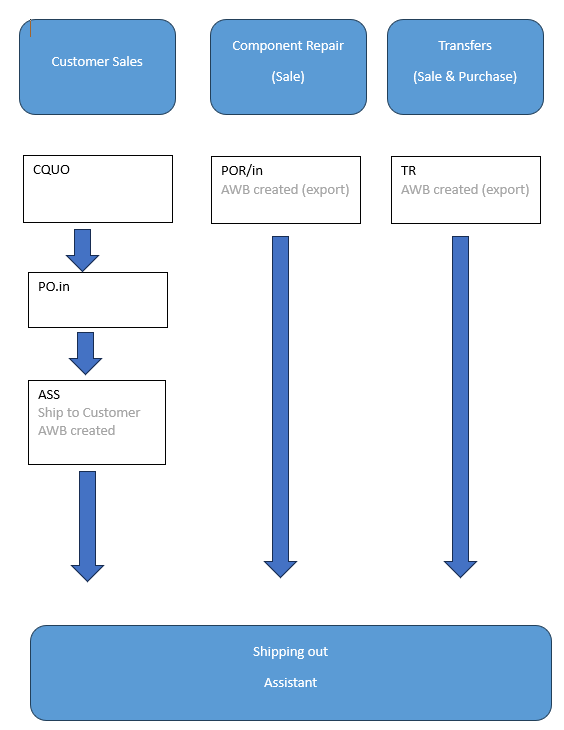
The shipping assistant concentrates all package preparation and shipping, form sale and purchase flows:
Shipping out booking related to purchase flow
Shipping out booking related to Sale & material transfer flow:
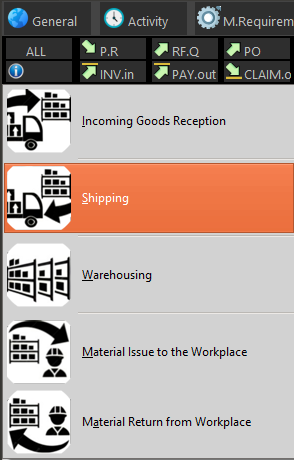
To start the assistant, click on "Shipping Assistant" menu
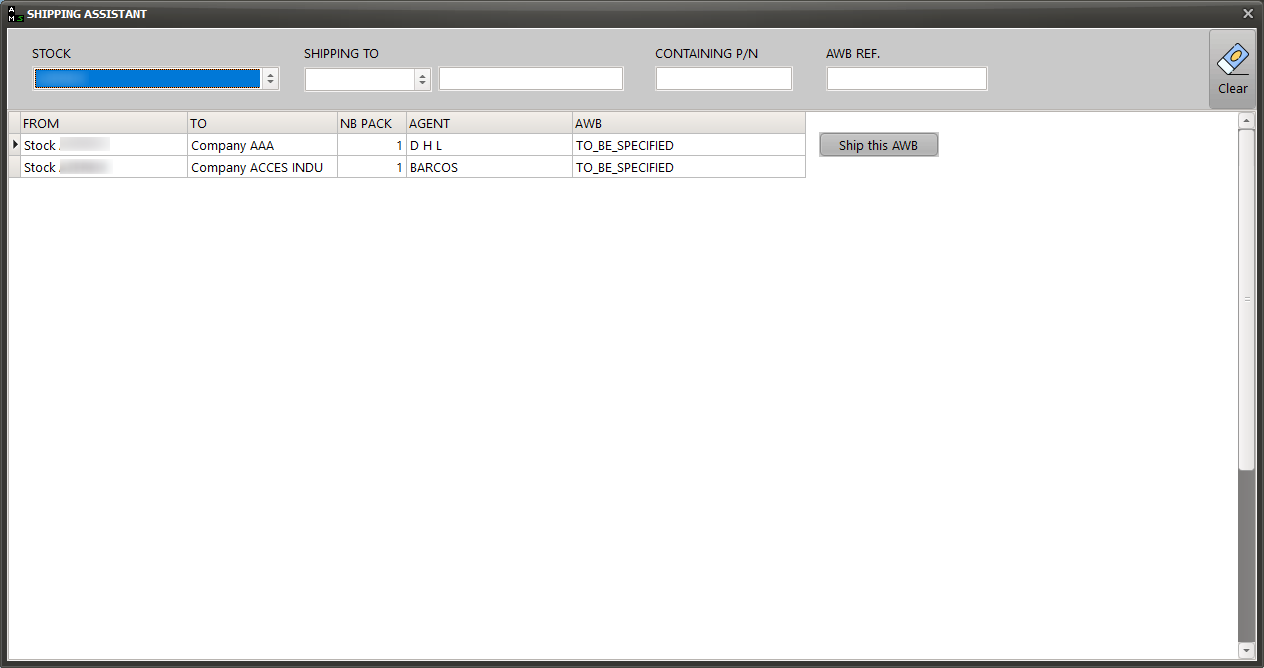
Then follow the on-screen instructions:
1/ Select the stock
The list of pending transport requests is displayed
2/ Select the AWB to be sent by selecting the associated row and press the "Ship this AWB" button:
3/ Verify the content of this AWB and, if the physical content matches the information displayed in AMS, proceed this shipping by pressing the button "Record this AWB as shipped"