IMPORTANT NOTE
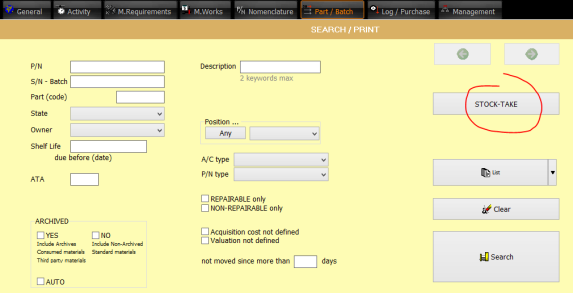
Performing stock take is essential to ensure the inventory held in AMS is consistent with what is physically present on the shelves. If this consistency fails to be achieved, then it become impossible for AMS to determine what part might be needed in the future and might lead to avoidable AOGs. For this reason it is essential to perform a stock take at least once a year. It is equally important to stock take every shelf positions on a continuous and daily basis when as you come across a situation. For example, when you are working on the Part/Batch module ( Part / Batch ) and you have the opportunity to look at what is physically on the shelf, it is a good practice to confirm to AMS that the quantity displayed is, or is not, the quantity sighted on the shelf by clicking on the "Stock Take" button located on the bottom right corner:

PREPARATION
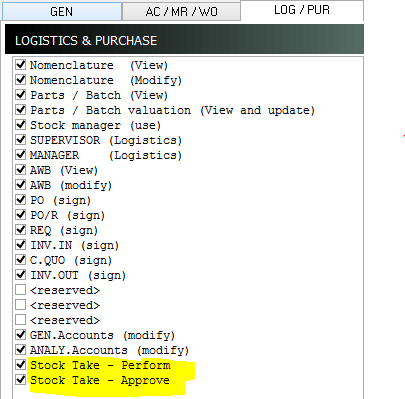
Grant the following credentials to the AMS users who will perform the stock take:
-Part / Batch (View)
-Stock Take – Perform
In addition, grant the following credential to the users approving the stock take inspections:
Stock Take - Approve
STOCK TAKE
Select the PART/BATCH module and click on the STOCK TAKE button
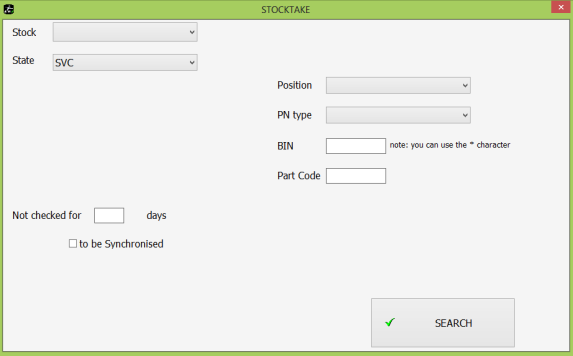
Select the STOCK and the STOCK ZONE (State) to be reviewed
Click on the SEARCH button
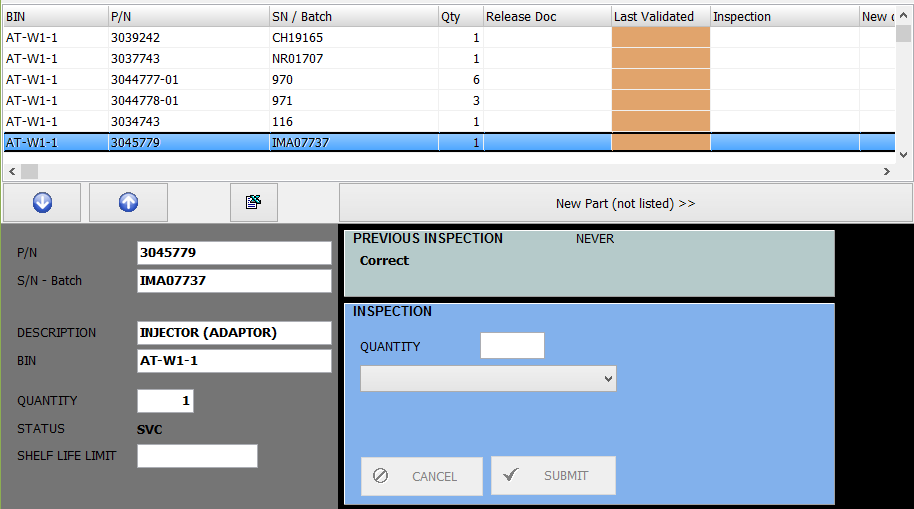
Note: To order to sort the list in a specific order, click on the column’s title
Review the position and record the inspection result in the INSPECTION section
Click on the SUBMIT button and proceed to the next row
STOCK TAKE RECONCILIATION
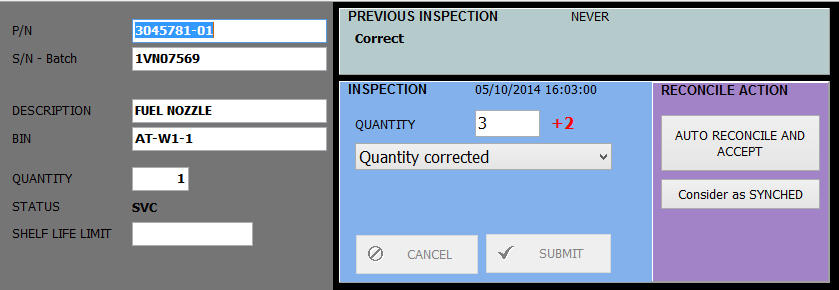
Review each row item and select the appropriate action in the RECONCILE ACTION section
NOTES ABOUT THE STOCK TAKE PROCESS
AMS allows you to perform the stock take asynchronously, meaning that the stock position can change between the inspection date and reconciliation date. The concerned stock is still being used as the stock take process is progressing.
When a stock position is reconciled, this is the DELTA QUANTITY which is used to determine the current quantity in stock (not the quantity sighted during the stock take which may have changed).
AMS also provide an EXPORT TO EXCEL function to verify the stock against an MS Excel spreadsheet. Be aware that if the stock is verified against an Excel spreadsheet then the process become synchronous and is no longer tolerant to stock utilization between the MS Excel export date/time and the reconciliation date/time.
AMS can be used to support a conventional annual stock take or a continuous stock taking process.