When a material is required for planned maintenance or defect rectification, a PR (Provisioning Request) is entered in iCare AMS for the attention of the department in charge of material management (eg. Store / Procurement / Supply Chain or equivalent)
For general use of the PR module, refer to PR - Provisioning Request.
When a PR is newly entered by any user:
i/ This PR is displayed in red color (showing the PR as not handled) in the PR module
ii/ A notification is sent to each user having a subscription to the "New PR" notification (refer to Notification, Alerts and Messaging service )
iii/ A notification is sent by email (to the same users as /ii/ above)
The PR is then handled in accordance with this procedure:
NOTE: You can define if one or several departments are required to approve PRs in your General Settings ( Data flow & Department approvals )
1/ Display the PRs not already handled (the following screen shot will display the PR not handled and falling due in the next 30 days)
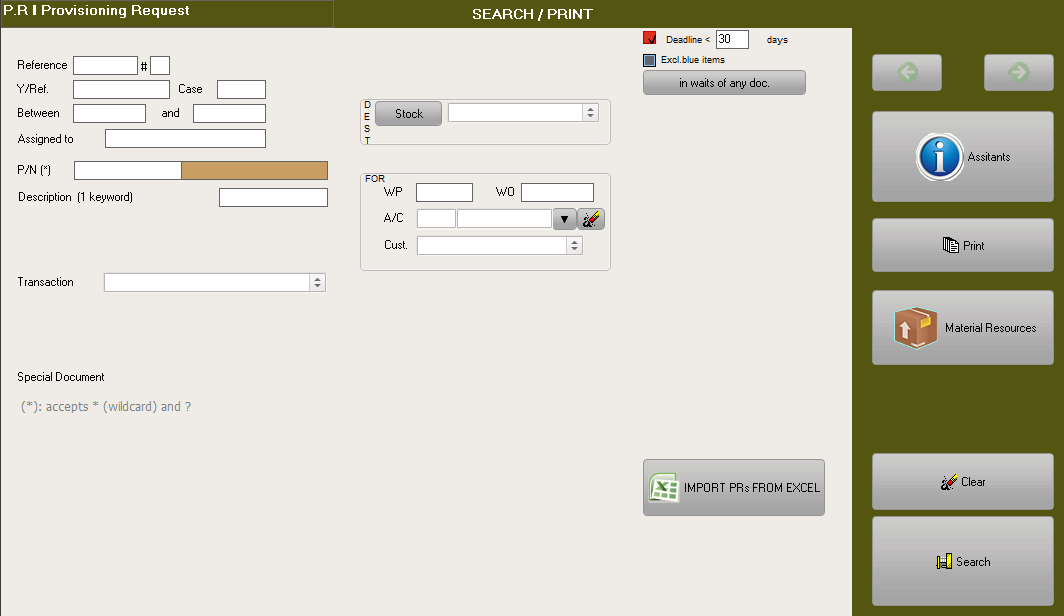
Then click on the "Search" button
2/ The Green color for column "Qty" means that you have enough available (not assigned) material in stock to acquit this PR (Red means that you do not have any, Yellow means that you have some but not enough). The Orange color for column "Ref." means this is a third party request.
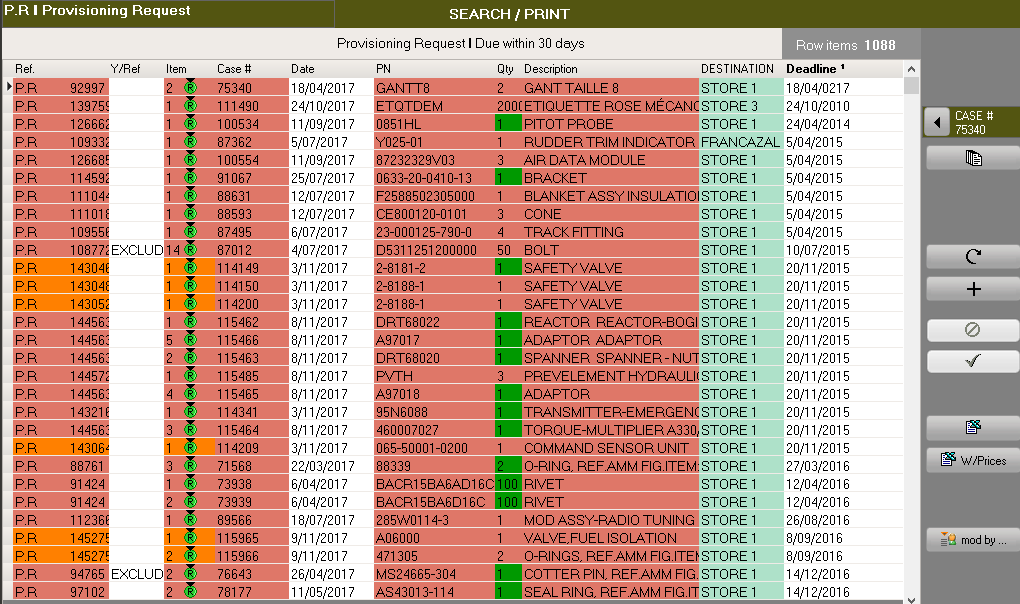
3/ Right click on a row item to display the contextual options, and select the desired option:
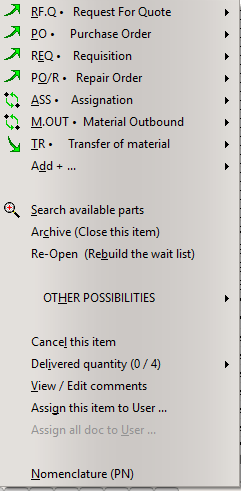
RF.Q if the material is not available from stock and this material is not listed in your supplier's catalog
PO if the material is not available from stock and you already have a quote or price catalog
REQ if this material is covered by a pool agreement
PO/R if a U/S material currently in stock can be used after repair
ASS if this material is in stock and is to be assigned to this work
M.OUT if this material is in stock and can be issued straight away
TR if the material is available from another stock and needs to be transferred
4/ The selected document is generated by AMS. Continue to proceed with other row items (from step /2/ above) then review the generated documents before validating.