To create a new WO (for unscheduled maintenance), or to modify an existing WO, proceed as follows:
Note: WO related to MR (scheduled Maintenance) are generated from the M.Requirement module ( M.Requirements ).
A) Select the Maintenance Works module
a) If you just started AMS, the search page will be displayed and you have to enter the search parameters matching your needs (for example if you want to enter a defect on an aircraft, select this aircraft and leave the "Open" box checked). Click on "Search" to display the list of WOs
b) If a previous list of WOs was already displayed, then proceed to the next step.
B) a) To create a new WO, click on the  -button
A new WO is generated and is waiting for the fields to be entered:
b) To modify an existing WO, double click on the WO to be modified
C) Enter the fields as detailed hereafter:

Ref WO- number is automatically generated by AMS.
Title of the WO (short description of the job to be accomplished or defect).
Y/Ref : This is a secondary (optional) reference of this WO (this reference can be the reference of a third party work order).
Date is automatically generated by AMS with the actual date when the WO was generated
ATA: ATA chapter
WP Class: This is the class of the WO for work packaging purpose
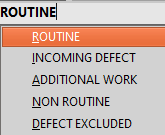
- ROUTINE: Standard scheduled work
- INCOMING DEFECT: Defect present when the aircraft started a maintenance visit whereas the defect was not anticipated before then
- ADDITIONAL WORK: Additional request made after a maintenance visit already started (not part of the basic scope).
AUTO / MANUAL
 The WO was generated manually by a user
 The WO was automatically generated by the system as a consequence of another action
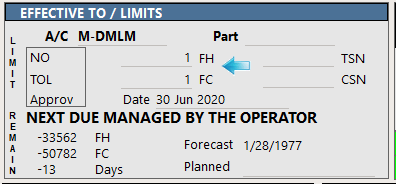
Effective to / LIMITS :
- LIMIT defines the next due compliance limits, comprising FH, FC and Date, for the concerned aircraft (left section) and/or for the concerned component (right section) as applicable
The "NO TOL Approv" label shows that no tolerance is approved yet.
- A/C is the registration of concerned aircraft
- Part: Component material code (of the concerned component)
To obtain more information about the component, press the - Date: Due date. Enter directly the due date in this field ( Dates ), or click
- REMAIN section (read only) displays the FH, FC and Days remaining until the LIMIT is reached
- Forecast (read only) displays the forecast date when this WO will become overdue based on the above LIMIT and the average utilization of the concerned aircraft.
|


ORIGIN section contains information related to source
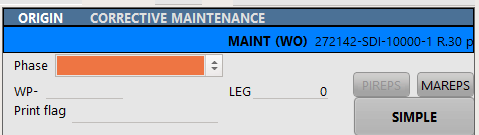
Phase: This is sequential ordering of this WO when placed into a Work-Package (WP reception,Task preparation, provisioning, preparation (Prod), access opening, check execution, access closing, finalization).
WP-: Work-Package in which this WO is included. Note that you cannot modify this field as you will need to use the Work packages module. Click on the  button to open the WP.
print Flag: text (water mark) to be printed on the WO
LEG: Leg is an automated number generated for each flight
Pireps/Mareps: specify if the WO is raised from a PIREPS (Pilot Report) or MAREPS (Maintenance Report)
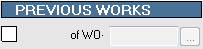
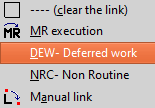
PREVIOUS WORK : this field is used to link the WO with another WO
REQUESTED WORK / COMPLAINT
The full text of work to be completed / or the defect to be rectified
Note: When the WO is associated with a MR (scheduled maintenance), this field is replaced by another field "COMMENT" as the requested work is already defined by the OPERATIONS section of the associated MR
JOB PERFORMED
This field must be entered once the work has been performed, or when the work is deferred.
WORKS FOLLOW ON
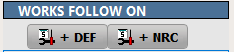
If the WO is deferred, click on the  button (the actual text displayed on this button is set in your general settings). AMS will close this WO and generate a new one with the appropriate links.
You will be required to enter the date when this WO was deferred.
If a defect was raised during the accomplishment of this work, click on the  button (the actual text displayed on this button is set in your general settings). AMS will generate the NON ROUTINE WO with the appropriate links.
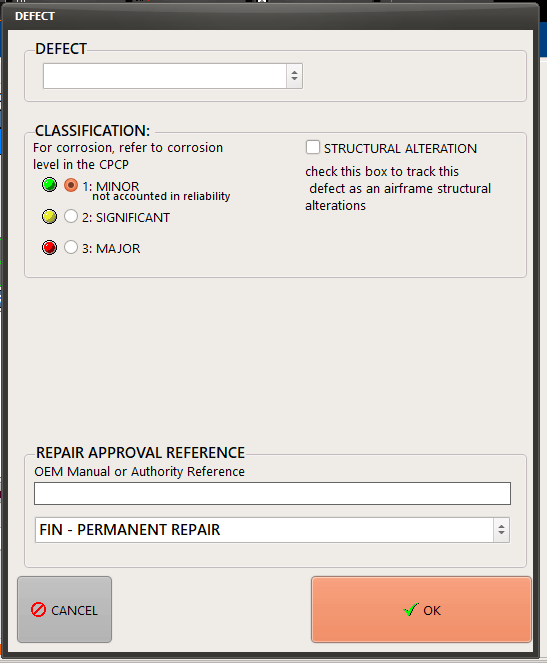
You will be required to enter the due date for rectification of this NON ROUTINE.

EST. DOWNTIME means the estimate downtime to perform the work (in Hrs).
REA. DOWNTIME means the real downtime as observed after completion of the work.(In Hrs)
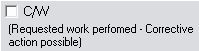
Check this box when the requested work has been fully performed.

SPC indicates the specialty (/skill) of the engineer
Est.#men estimated number of engineers
Est.M/H estimated labor (in hours) per engineer
Total Est. total estimated labor (in hours)
Total Rea. Realised men hours for this specialty
Total Inv. Total number of mean hours to be charged to the Customer
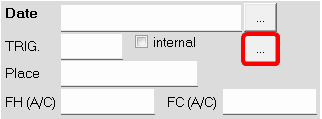
On completion of the work the following fields must be entered
Date: Date of certification
TRIG. Letter code identifying the engineer who certified the work
internal Check this box if the engineer identified in the TRIG field is from your company. If this box is checked, AMS will look up this individual in the Human Resource module ( Human resources )
Place is the location where the work took place
FH (A/C), FC (A/C) are the aircraft total time / total cycles on certification (these fields will be automatically entered by AMS is the total hours / cycles are know on the above specified date).
- Push buttons (the text displayed will change when pressing the button) :
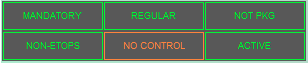
- Mandatory / Optional - Active / Cancellation (This WO is a cancellation of repeat interval defined by the MR). - ETOPS: (EDTO) / non-ETOPS: defines is this work impedes the ETOPS capability. - Regular / Event driven: When Event Driven, the WO is "waiting" for the event to occur and the status will show "OPEN - Wait event"
Note: Above mentioned buttons would vary as per the context of the WO type. |
|
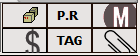
 Displays the material resources list and their current situations
 View or Create a PR (Provisioning Request) to manage the parts required for completion of this work. Using this button will direct you to the PR - Provisioning Request module.
When a PR exists, this button will be highlighted.
 Click this button to add a note/memo to the WO. If a memo is already recorded the button is highlighted (as shown in this example).
 Add commercial comments to this WO. If red in color it would indicate that a comment exists (click on this icon to display the comment- Material, labor or other quote)
 View or Create component removal & installation TAGs. A WO related to a component position will require a removal / installation TAG to be entered
 Attach documents related to this work.