|
|
DISPLAY |
DESCRIPTION |
|---|---|---|
1 |
|
This button is displayed on the detailed material window and gives access to the functions listed below:
|
2 |
|
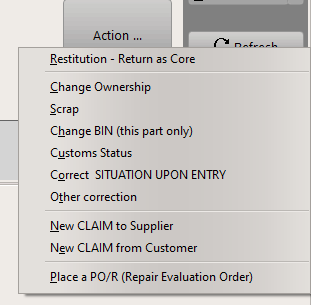
• Restitution to create a restitution order (return as a core unit), • Change ownership to modify the owner, •Scrap •Change BIN •Customs Status •Correct Situation Upon Entry • Other correction to make any other modification (including change of P/N, S/N or batch number)
•New CLAIM to Supplier •New CLAIM to Customer •Place a PO/R (Repair Evaluation Order) |
How to transfer ownership? |
||
3 |
|
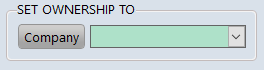
Define the "SET OWNERSHIP TO" field to the desired company (as identified in the Contact manager ). |
Other corrections |
||
4 |
Enter the modification, such as:
- New location - Part number (P/N), - Serial number (S/N), - Description, - Quantity, - State
|
|