|
|
DISPLAY |
DESCRIPTION |
|---|---|---|
1 |
|
This icon, which is displayed on the detailed view of a material, is used to record any external file to this material (photos / release documentation)
|
2 |
|
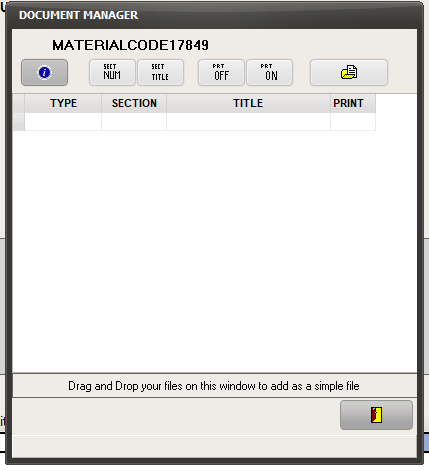
This windows opens after clicking on the button shown on step 1.
You can drag a file from your computer directly to this window the record the file and associate it with this material.
Click on • simple file to attach any file stored in your computer, • shortcut to create a link to any URL*, • from a scanner (refer to End-User useful hardware ) to scan a new document that will be associated with this material.
* a Uniform Resource Locator (URL) is an Identifier that specifies where an identified resource is available and the mechanism for retrieving it.
If documents are already associated with this material, the list of available documents will be displayed by this window.
To quit the Document Manager, click on |

 to choose either :
 .
.