Legend of the figure shown on the previous page:
7: Aircraft data sheet
This button opens the aircraft data sheet window :
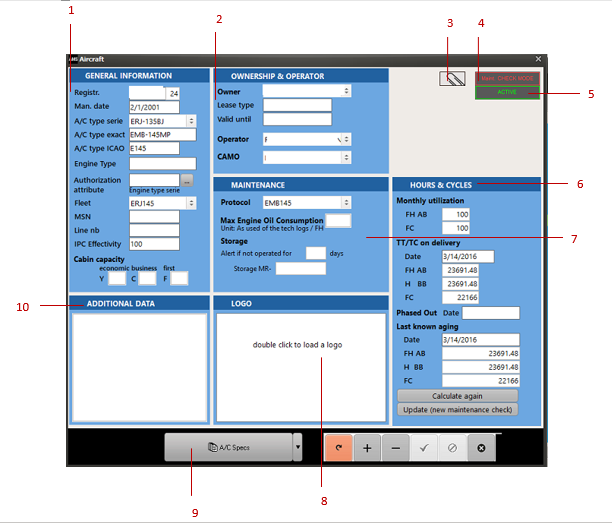
1: Aircraft registration, information and its internal identifiers (id).
2: Ownership related information.
3: Attach any kind of external file (see the Document Manager functions in the General interface chapter).
4: Airworthiness control mode (for airlines) or maintenance visit mode (for MROs).
5: Active / Inactive aircraft.
6: Aircraft Age and Mean utilization hours and cycles (used to calculate the maintenance forecast).
7: Maintenance Information.
8: Logo associated with the aircraft. If defined, this logo will print on any document directly associated with this aircraft.
9: Print (or preview) the aircraft specification data sheet. The aircraft specification report contains general information as displayed on the aircraft data sheet as well as all the status of all MRs (Maintenance Requirements) defined as "included into A/C Specs".
10: Textual information to be printed at the top of the aircraft specifications.