All documents printed with AMS include a bar code. This bar code can be scanned with the bar code reader sub-module to access several functions:
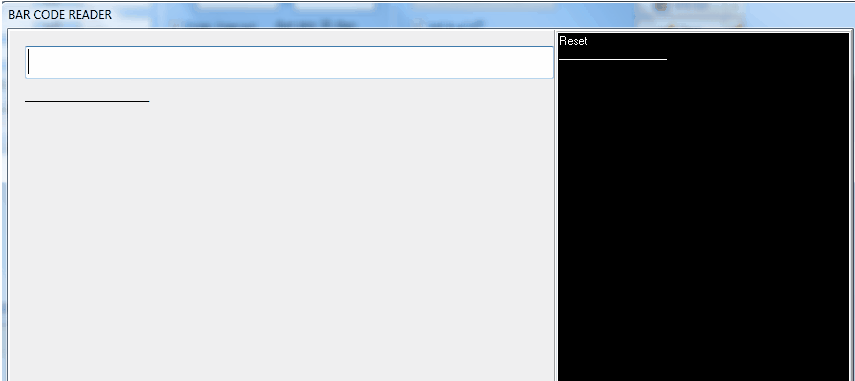
- If the code bar of any document is scanned (other than a personal identification card), the associated module is opened and the document is selected.
- if the scanned document is a personal identification card, the work package real time execution functions starts:
Work package real time execution process:
- Scan your personal identification card
-> Your identification is displayed and the system waits for a WO (Work Order) to be scanned
- Scan a WO
-> If the identified engineer was not already logged to another WO, the system propose to start the works on the concerned WO (see note 1). This proposed action is displayed on the screen and the engineer has 30 seconds to accept or reject the proposal. If nothing is made during this 30 sec, the proposal is accepted and the concerned engineer is supposed to be working on this WO.
-> If the identified engineer was already logged on this WO, the system propose to stop his work (with the same 30 sec logic than above)
Several engineers can work on the same WO, simultaneously or not.
Each job start and stop times are recorded (what includes the job duration) with the identification of the engineers. When at least one job has started on a WO, it is identified as "job started" in the Work-Package sub-module. This WO execution process record all times spent on a WO but does not close it: To close the WO, a write access is required on the M.Work module to:
- identify the engineer who signed the job (usually filled by the controller or the planing department)
- confirm that the concerned WO is complied with, and eventually create the associated supplemental works (usually made by the planing / airworthiness dept)
Note 1: a job can start on a WO only if the work-package associated with the WO is open for execution (the job start date and time indicated in this Work Package is set)
Refer also to Execute Work using Bar code