All MRs can be amended.
An amendment is not only a revision of the MR but also has a pending status, meaning that all modifications made in amendments are not effective until the amendment is turned to effectiveness.
When an amendment is created on a MR:
- the original MR , its associated status and work orders (WO) are not modified
- the amended MR and its associated status can be modified without implication on the effective list of works due.
Viewing amended MR:
By default, the MR module shows all MRs, amended or not.
To specify which MR you would like to work on, select the appropriate option in the selection filter:
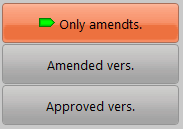
Creating amendments:
To amend a MR, click on the "Create Amdt" button:

then chose one of the following options:

- Copy the status: use this option if you want to start with the same status than in the original MR
- Let the status blank: use this option if you want to start without any status
Note: To create an amendment of a MR which is part of a Maintenance Programme (Protocol), the associated protocol must be have a pending amendment defined (refer to General settings / Protocol). A MR is part of a Maintenance Programme if it is effective to a protocol.
Evaluate changes to the fleet
To evaluate the changes of the pending amendments to the works schedule, use the "Works related to amendments" option available in the selection filter of the M.Works module.
Turn the amendments to effectiveness:
Once the concerned amendment has been approved in accordance with your procedures, it has to be turned to effectiveness by clicking on the following button:

Note: This button is only available for MRs which does not relates to a Maintenance Programme. To turn into effectiveness an amendment of a Maintenance Programme, use the function provided in the General settings / Protocol
When an amendment is turned to effectiveness:
- the amendment label of the associated MR is removed,
- the associated work orders (WO) are switched to classical works,
- the WOs associated with the amended MRs are canceled,
- the amended MRs are replaced by their amended version.