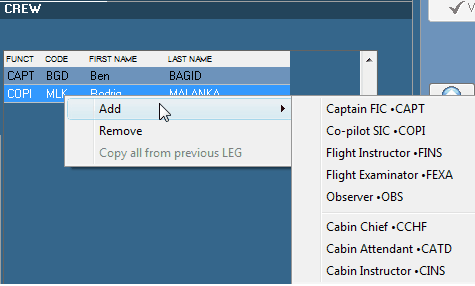
To enter the crew on board, right click on the crew list and Add the desired crew for the selected position as per the above picture.
The following window opens and displays the list of crews having the necessary authorization to be selected in that position. If the logged user as the sufficient rights, he can also modify this list to add another crew member. To get access to the other functions associated this list of crews (like for example to add an authorization to a crew member), refer to Management / Human resources.
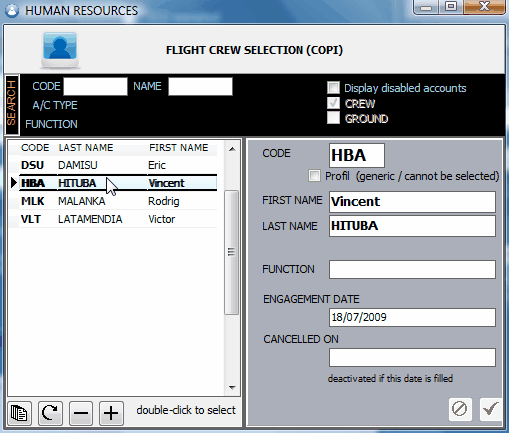
Double click on a crew member to select.
Repeat the operation for each crew member.
Note the option "copy all from previous leg" which is provided on the TLB (crew list) to avoid copying the same crew list on each leg when the crew was not changed.