Preview / Print the fleet list and the monthly aircraft utilization:
1- Select the Activity module, and open the FLEET tab
2- Click on FLEET UTILISATION button (as shown in the following picture) to obtain the monthly utilization of the fleet.
Preview / Print the monthly / yearly statics reports:
1- Select the Activity module and double-click on one aircraft before pressing the STATISTICS button:
2- To print the monthly (Note 1) report, enter the fleet and month to be reported, then click on the Calculate button to display charts and Monthly reliability report to prepare and print the full report.
Note 1: By default the Monthly Reliability Report runs on a one month period but you can extend the period to several months (eg. Quarterly report / Bi-annual)
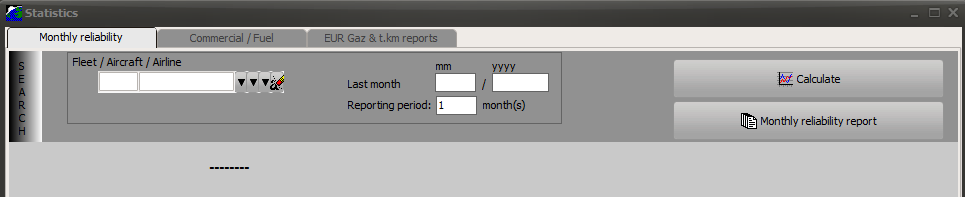
3- Commercial / Fuel and Gaz Emission reports can be produced using the above tabs in a similar manner
Other (Activity) reports:
- Aircraft specifications (ACTIVITY module / FLEET / Aircraft / A/C Specs)
- Fluid consumption report (ACTIVITY module / AC ROUTES / CONSUMPTIONS)
- Aircraft routes history (ACTIVITY module / AC ROUTES / ROUTES / Report)